
Android 16 QPR2 Update: Everything New in Google’s Latest Release
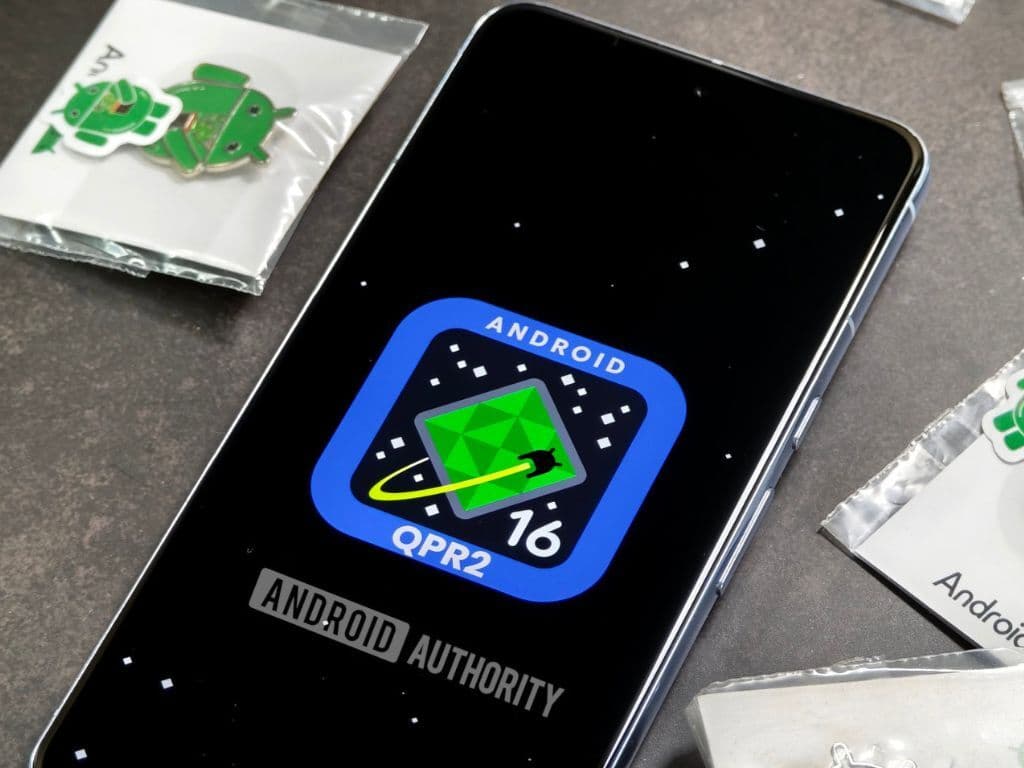
Google has released Android 16 QPR2 in December 2025, marking a significant milestone as the first Android update to utilize a minor SDK version. This innovative approach allows Google to deliver new features, APIs, and optimizations more rapidly without waiting for the next major platform release. Unlike traditional major updates that often include behavior changes requiring extensive compatibility testing, QPR2 focuses primarily on additive improvements that enhance user experience, boost developer productivity, and expand media capabilities without disrupting existing applications.
The Android 16 QPR2 update represents Google’s commitment to more frequent, meaningful updates that bring valuable features to users throughout the year rather than concentrating all improvements into a single annual release. Currently rolling out to eligible Pixel devices with broader distribution to other manufacturers expected in early 2026, this update introduces AI-powered notification summaries, expanded customization options, enhanced accessibility features, and numerous behind-the-scenes improvements that make Android devices smarter and more efficient.
AI-Powered Notification Management: Cutting Through Digital Clutter
One of the most immediately impactful features in the Android 16 QPR2 update is the introduction of AI-powered notification summaries that address the overwhelming flood of alerts modern smartphone users face daily. Using Google’s advanced Gemini Nano AI model running entirely on-device, the system analyzes longer messages and group chat conversations to generate concise, glanceable overviews that convey essential information without requiring you to read through entire message threads.
These intelligent summaries appear directly in your notification shade, providing quick context about what’s happening in active conversations. Whether it’s a busy group chat planning weekend activities, a lengthy email thread with multiple participants, or an extended message containing detailed information, the Android 16 QPR2 update condenses the content into digestible summaries that help you quickly understand what matters without missing important details.
“The notification organizer feature in Android 16 QPR2 automatically categorizes alerts into priority levels, silencing lower-priority notifications from promotions, news feeds, and social media to help users maintain focus on communications and tasks that truly require immediate attention.”
Complementing the summary feature, the new Notification Organizer intelligently groups and temporarily silences lower-priority alerts such as promotional emails, news updates, and social media notifications. This automated categorization reduces notification fatigue without hiding important communications from contacts, calendar events, or time-sensitive applications. The system learns from your interaction patterns, becoming more accurate over time at distinguishing between notifications requiring immediate attention and those that can wait.
All notification processing happens locally on your device using the Tensor G5 chip’s neural processing capabilities in Pixel phones, ensuring your personal communications never leave your device for cloud analysis. This privacy-focused implementation distinguishes Google’s approach from competitors who transmit data to remote servers, providing peace of mind that your sensitive conversations remain private while still benefiting from advanced AI capabilities.
Expanded Dark Theme and System-Wide Visual Consistency
The Android 16 QPR2 update introduces an expanded dark theme feature that addresses a long-standing frustration: applications that don’t offer native dark mode support. When enabled, this accessibility-focused capability automatically inverts light-themed applications, converting bright white backgrounds to comfortable dark alternatives even when developers haven’t implemented their own dark themes.
The system uses your app’s isLightTheme theme attribute to determine whether automatic inversion should apply. Applications inheriting from standard DayNight themes receive this functionality automatically without requiring any changes from developers. Standard Android Views, Composables, and WebViews will be intelligently inverted, while custom rendering engines like Flutter that manage their own display logic remain unaffected to prevent unintended visual glitches.
Google emphasizes that while this automatic dark theme proves valuable for accessibility and reducing eye strain during nighttime usage, developers should implement native dark themes for optimal results. Custom dark implementations provide full control over color palettes, ensure text readability, preserve brand identity, and prevent the occasional visual inconsistencies that can occur when the system automatically inverts complex user interfaces.
For users frustrated by the inconsistent dark mode experience across their installed applications, the Android 16 QPR2 update delivers a practical solution that works immediately without waiting for every app developer to implement proper dark theme support. The feature particularly benefits reading applications, productivity tools, and utilities where bright white backgrounds can cause discomfort during extended use in low-light environments.
Custom Icon Shapes Return After Years of Absence
In a move that delights customization enthusiasts, the Android 16 QPR2 update reintroduces custom icon shapes—a beloved feature that disappeared after Android 12’s Material You redesign. Users can now select from five distinct geometric shapes for their home screen app icons and folder previews, including circle, square, rounded square, teardrop, and squircle (super ellipse) options that apply consistently across the entire launcher interface.
This capability extends beyond apps that provide themed icons. For applications lacking dedicated monochrome alternatives, the Android 16 QPR2 update includes a color filtering algorithm that automatically generates themed versions matching your chosen system color palette. This intelligent processing ensures visual cohesion across your home screen even when using apps from developers who haven’t adopted Google’s themed icon guidelines.
The return of icon customization responds directly to community feedback from users who missed the creative flexibility offered in earlier Android versions. While Material You’s adaptive color system provides sophisticated palette generation based on wallpaper colors, many users felt limited by the lack of shape options. The Android 16 QPR2 update balances Google’s design vision with user preference for personalization, acknowledging that smartphone interfaces should reflect individual style rather than imposing a single aesthetic approach.
Combined with existing Material You features including wallpaper-based color theming and customizable lock screens, the enhanced icon options give Android users unprecedented control over their device’s visual appearance. This level of personalization remains one of Android’s key advantages over more restrictive mobile operating systems, allowing users to create interfaces that feel uniquely theirs rather than generic out-of-box experiences.
Desktop Windowing: Transforming Tablets Into Productivity Devices
The Android 16 QPR2 update builds upon the desktop windowing foundation introduced in Android 16’s initial release, bringing laptop-like multitasking capabilities to tablets and large-screen devices. Users can now open, move, resize, and arrange multiple application windows simultaneously on a single screen, creating flexible workspaces that adapt to specific tasks and workflows.
This functionality transforms tablets from oversized smartphones into genuine productivity tools capable of handling complex workflows previously requiring traditional computers. The implementation draws inspiration from Samsung DeX while providing a standardized Android experience that works consistently across devices from different manufacturers. Windows snap to screen edges, can be maximized or minimized, and maintain their positions when switching between applications.
The Android 16 QPR2 update introduces taskbar overflow functionality that provides visual management for multiple opened applications. When the taskbar fills beyond its capacity, the overflow menu displays all running apps in an organized grid, making it simple to locate and switch to the specific window you need. This addresses a common frustration with traditional split-screen implementations where managing more than two apps simultaneously becomes cumbersome.
Custom keyboard shortcuts represent another productivity enhancement arriving with this update. Users can create personalized hotkey combinations for frequently performed actions like launching specific applications, switching between windows, taking screenshots, or triggering system functions. This keyboard-centric navigation significantly accelerates workflows for users who connect physical keyboards to their tablets, making the experience feel more like traditional desktop computing.
Enhanced Accessibility Features for Inclusive Technology
Google continues prioritizing accessibility in the Android 16 QPR2 update with several features specifically designed to make smartphones more usable for people with varying abilities. The improved Guided Frame feature in Pixel camera apps now leverages Gemini AI to provide detailed descriptions of scenes and subjects visible through the viewfinder, going beyond simple notifications about faces in frame.
Where previous implementations might simply alert “face detected,” the enhanced Guided Frame in the Android 16 QPR2 update provides contextual descriptions such as “one girl with a yellow T-shirt sits on the sofa and looks at the dog.” This detailed verbal guidance helps visually impaired users understand their surroundings and compose photos more effectively by providing rich context about scene composition, subject positioning, and environmental details.
Voice Access activation has been streamlined to eliminate physical interaction requirements. Users can now launch this powerful accessibility feature simply by saying “Hey Google, start Voice Access” without needing to navigate through settings or tap their devices. Once activated, Voice Access enables complete device control through voice commands, allowing users with limited mobility to navigate interfaces, launch applications, compose messages, and perform virtually any smartphone function hands-free.
“Android 16 QPR2 introduces native controls for LE Audio hearing aids, allowing users to adjust volume, switch between audio programs, and configure hearing device settings directly from their Android phones without requiring separate manufacturer apps or accessories.”
Fast Pair support expands to include hearing aids from Demant (including Oticon, Sonic, and Bernafon brands) with additional manufacturer support from Starkey arriving in early 2026. This integration simplifies the connection process while enabling advanced features like using your smartphone as a microphone input for clearer calls in noisy environments—a practical enhancement that significantly improves communication quality for hearing aid users.
Performance Improvements and System Optimizations
While user-facing features capture headlines, the Android 16 QPR2 update includes substantial under-the-hood improvements that enhance device performance and efficiency. The Android Runtime (ART) now incorporates a Generational Concurrent Mark-Compact (CMC) Garbage Collector that focuses memory cleanup efforts on newly allocated objects rather than scanning the entire memory space repeatedly.
This architectural change results in reduced CPU usage during garbage collection cycles and improved battery efficiency by minimizing the processing overhead required for memory management. Applications run more smoothly with fewer stutters or frame drops caused by garbage collection pauses, particularly benefiting games and other performance-sensitive software that allocates and discards objects rapidly during operation.
Media capabilities receive meaningful upgrades with software decoding support for Immersive Audio Model and Formats (IAMF), an open-source spatial audio standard that delivers three-dimensional sound experiences without requiring specialized hardware. The Android 16 QPR2 update also integrates Personal Audio Sharing for Bluetooth LE Audio directly into the system Output Switcher, making it effortless to share your audio streams with nearby friends’ compatible headphones.
Health Connect gains automatic step tracking using device sensors, eliminating the need for third-party fitness applications to constantly poll sensor data. This native integration improves battery life while ensuring consistent step counting across the system. Developers can now query user interaction events including clicks, scrolls, and impressions for home screen widgets, enabling better understanding of how users engage with their widget implementations.
Quick Share Enhancements and Tap-to-Transfer
The Android 16 QPR2 update introduces a convenient tap-to-transfer feature for Quick Share that mimics iOS’s AirDrop functionality. When Quick Share is active on two nearby devices, simply tapping the tops of the phones together initiates instant connection and file transfer without requiring manual device selection or pairing processes.
This intuitive gesture-based sharing method significantly streamlines the file transfer experience, particularly appealing to users switching from iOS who are accustomed to similar functionality. The implementation proves more consistent than the previous method that required devices to be placed back-to-back, working reliably as long as Quick Share remains active on both participating devices.
The feature supports all file types that Quick Share handles including photos, videos, documents, contacts, and application links. Transfer speeds leverage Wi-Fi Direct technology to achieve fast transmission rates even when cellular or Wi-Fi networks aren’t available. The Android 16 QPR2 update positions Android’s sharing capabilities on par with competing platforms while maintaining the flexibility and cross-platform compatibility that distinguishes Android’s approach to device connectivity.
SMS OTP Protection and Security Enhancements
Security improvements in the Android 16 QPR2 update include enhanced SMS one-time password (OTP) protection that prevents malicious applications from accessing verification codes used for account authentication. The system now restricts which apps can read SMS messages containing OTP codes, reducing the risk that fraudulent applications could intercept these sensitive authentication credentials.
This targeted protection maintains convenience for legitimate use cases including banking apps, password managers, and email clients that automate OTP entry while blocking suspicious applications from accessing these messages. The implementation balances security with usability, ensuring that two-factor authentication remains smooth for users while adding crucial safeguards against emerging threats that attempt to compromise accounts through SMS interception.
The Android 16 QPR2 update also introduces early warning dialogs for debuggable applications that aren’t 16KB page-aligned, helping developers prepare for future architectural requirements. While this technical change primarily affects software development rather than end users, it ensures Android’s ecosystem remains ready for next-generation hardware implementations requiring larger memory page sizes for optimal performance.
Widget Improvements and Lock Screen Hub Mode
The widget panel receives a visual refresh in the Android 16 QPR2 update with a new tabbed interface featuring separate “Featured” and “Browse” sections. The Featured view provides personalized widget recommendations based on your application usage patterns and behavior, surfacing relevant widgets from installed apps that you might find useful but haven’t yet added to your home screen.
Lock screen widgets return through a new “Hub” mode inspired by the Pixel Tablet’s smart home functionality. Swiping right from the lock screen accesses this dedicated widget area where you can arrange multiple pages of your favorite widgets in portrait orientation. While not every widget adapts perfectly to this layout, the feature provides quick access to information and controls without unlocking your device.
App management receives quality-of-life improvements including a new “Remove” button that appears when long-pressing home screen icons, eliminating the annoying drag-to-top-of-screen gesture required in previous Android versions. You can also quickly add app shortcuts directly to your home screen from this same long-press menu, streamlining the customization process significantly.
When Will Your Device Receive Android 16 QPR2?
The Android 16 QPR2 update began rolling out to eligible Pixel devices in early December 2025, including Pixel 6 and newer models. Google typically stages these releases over several days to monitor for unexpected issues, so some users receive updates before others even within the same device model. You can manually check for updates by navigating to Settings > System > System Update on your Pixel phone or tablet.
For devices from other manufacturers including Samsung, OnePlus, Motorola, and others, the distribution timeline remains less certain. Android OEMs must integrate Google’s base Android changes with their custom interface layers (One UI, OxygenOS, etc.) before releasing updates to their device lineups. This process typically requires several weeks to months depending on how extensively manufacturers customize Android and how many devices they support.
Some manufacturers may incorporate Android 16 QPR2 features into their next minor software update, while others might wait for their next major platform revision to implement these changes. Samsung, for instance, could include relevant features in a future One UI 7 point release, while smaller manufacturers with more limited engineering resources might skip minor updates entirely and wait for Android 17.
Carrier-sold devices often experience additional delays as wireless carriers perform their own testing and certification before approving updates for distribution. If you purchased your phone through a carrier, expect longer wait times compared to unlocked variants purchased directly from manufacturers. Following official Android announcements and manufacturer-specific update bulletins helps you stay informed about when your specific device will receive the Android 16 QPR2 update.
Should You Update to Android 16 QPR2 Immediately?
For most users, installing the Android 16 QPR2 update as soon as it becomes available makes sense. The additive nature of this release means it’s unlikely to introduce breaking changes or compatibility issues with existing applications. Google’s focus on enhancements rather than disruptive behavior modifications reduces the risk typically associated with major platform updates.
The notification management features alone justify updating for users who feel overwhelmed by constant alerts throughout their day. The AI-powered summaries and intelligent organization genuinely improve the smartphone experience by reducing cognitive load and helping you focus on what matters. Users who struggle with notification overload will appreciate these capabilities immediately.
Accessibility improvements make the Android 16 QPR2 update particularly important for users with disabilities who rely on assistive technologies. The enhanced Guided Frame, streamlined Voice Access activation, and expanded hearing aid support represent meaningful quality-of-life improvements that make Android devices more usable for people with visual impairments, limited mobility, or hearing loss.
Power users with tablets or large-screen devices should definitely update to access the enhanced desktop windowing capabilities. These productivity features transform how you interact with multiple applications simultaneously, potentially replacing some laptop usage with tablet alternatives. The custom keyboard shortcuts and taskbar overflow particularly benefit users who regularly multitask across numerous applications.
The Future of Android Updates: More Frequent, More Focused
The Android 16 QPR2 update represents Google’s vision for how Android evolution should work moving forward. Rather than concentrating all improvements into a single annual release that requires extensive regression testing and creates massive compatibility concerns, Google now delivers value continuously through more frequent updates that add capabilities without disrupting existing functionality.
This approach benefits everyone in the Android ecosystem. Users receive new features throughout the year rather than waiting 12 months between significant improvements. Developers can adopt new APIs more incrementally without massive codebase updates required to support major platform changes. Device manufacturers can more easily integrate updates into their customized Android versions without extensive rework of their interface layers.
The minor SDK versioning system introduced with the Android 16 QPR2 update provides technical infrastructure for this new cadence. Developers can detect specific API levels using SDK_INT_FULL and VERSION_CODES_FULL fields, ensuring their applications can take advantage of new capabilities while maintaining compatibility with devices running earlier versions.
Looking ahead, expect Google to continue refining this update strategy based on feedback from users, developers, and manufacturing partners. The success of the Android 16 QPR2 update’s rollout will likely influence how aggressively Google pursues even more frequent updates in future years. For users, this evolution means Android devices that continuously improve throughout their lifecycle rather than feeling static between major annual releases.
Conclusion: Meaningful Evolution Through Continuous Improvement
The Android 16 QPR2 update exemplifies Google’s commitment to delivering meaningful improvements that enhance daily smartphone experiences without requiring dramatic platform overhauls. From AI-powered notification management to expanded accessibility features and enhanced productivity tools for large-screen devices, this release addresses real user needs with practical solutions rather than flashy but ultimately superficial additions.
The shift toward more frequent, focused updates positions Android for continued evolution that keeps pace with rapid technological advancement. Rather than concentrating all innovation into annual releases that take months to reach most devices, Google now delivers value continuously throughout the year. This approach benefits users through earlier access to new capabilities while reducing the friction that traditionally accompanied major platform transitions.
For eligible Pixel device owners, installing the Android 16 QPR2 update brings immediate benefits across notification management, accessibility, customization, and productivity. Users with devices from other manufacturers should stay informed about their specific update timelines while looking forward to these enhancements eventually reaching their smartphones and tablets. The future of Android looks increasingly dynamic, with continuous improvement replacing the old model of annual transformation. Stay current with the latest Android developments, feature releases, and update announcements by following official Google communications and comprehensive Android news coverage that tracks the rapidly evolving mobile ecosystem.