
Gemini Can Now Handle Phone Tasks on Your Pixel 10 – Without You Lifting a Finger
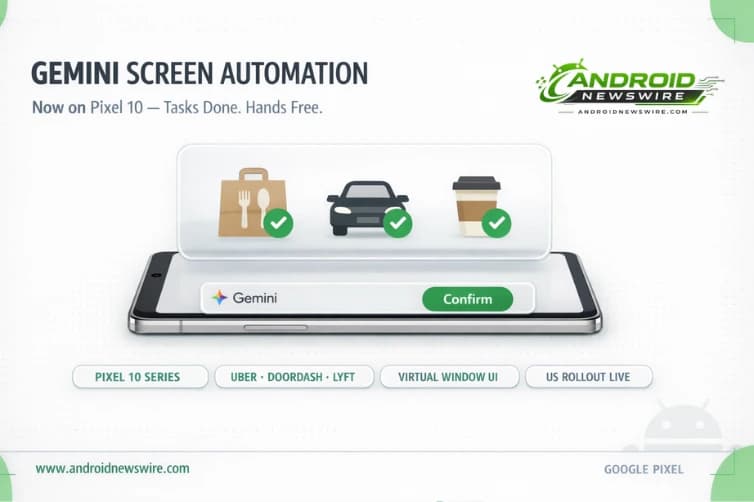
The agentic AI feature that turned heads when Samsung demonstrated it at Galaxy Unpacked in February 2026 has arrived on Google’s own flagship lineup. As of March 21, Gemini screen automation is rolling out to the full Pixel 10 series in the United States – bringing hands-free task execution to the Pixel 10, Pixel 10 Pro, Pixel 10 Pro XL, and Pixel 10 Pro Fold. You ask Gemini to handle something, it navigates the apps, and you confirm before anything is completed. No tapping, no switching, no searching.
What Gemini Screen Automation Actually Does
Gemini screen automation can help with actions like ordering food, calling a cab, or placing grocery orders without you touching your phone. The feature represents the most practical real-world implementation of agentic AI on a consumer Android device to date – moving beyond chatbot responses and generated summaries into AI that physically operates the apps on your device on your behalf.
You can trigger the feature the same way you access Gemini now, either by holding the power button or using the “Hey Google” command. Once activated, Gemini walks through the task step by step on screen in a virtual window, showing what it is doing, and you can take control at any time. It also asks for final confirmation before completing the action.
That last detail – the mandatory final confirmation before execution – is the design decision that makes the feature feel trustworthy rather than alarming. Gemini does the navigation work, but it never commits to a purchase, a booking, or a delivery order without your explicit approval. You stay in control of the outcome; Gemini handles the friction of getting there.
From Galaxy S26 to Pixel 10: The Rollout Story
At the Galaxy Unpacked event in February 2026, Samsung and Google showcased the feature that allows Gemini to handle tasks on your behalf. Soon after the Galaxy S26 series went on sale earlier this month, Samsung began rolling out the feature in the US and Korea.
The Galaxy S26 was the first device to receive screen automation in a stable release – a significant detail, because it meant Samsung’s flagship hardware debuted a feature that Google’s own Pixel lineup did not yet have. That asymmetry lasted about two weeks. The feature is now available across the entire Pixel 10 lineup, including the Pixel 10, Pixel 10 Pro, Pixel 10 Pro XL, and Pixel 10 Pro Fold running Android 16 QPR3 stable.
The Android 16 QPR3 stable requirement is worth noting – users who have not yet installed the March QPR3 update will need to do so before screen automation becomes available. Given that QPR3 also includes the 129-CVE security patch bundle and desktop windowing improvements we covered in our March 2026 Week 2 roundup, updating is worthwhile on its own merits.
Which Apps Are Supported Right Now
For now, screen automation supports a limited set of apps, including Lyft, Uber, Uber Eats, Grubhub, DoorDash, and Starbucks. Gemini can also ask follow-up questions, such as selecting a drink size or store location when placing an order.
The follow-up question capability is subtle but important. A static automation script would fail the moment it encountered an ambiguous choice – “which Starbucks location?” or “what size?” – and require user intervention. Gemini handles these decision points conversationally, maintaining the task thread while collecting the specific information needed to complete it correctly. That is what separates agentic AI from macro recording.
The current app list is deliberately narrow for launch. Ride-sharing, food delivery, and coffee ordering represent high-frequency, relatively bounded task structures – they have clear start and end states, involve a small number of decision variables, and carry low risk if something goes wrong. As Google’s confidence in the system grows through real-world usage data, expect the supported app list to expand to more complex categories over time.
Usage Limits by Subscription Tier
Usage limits depend on your Gemini subscription tier. Free users can make around five requests per day, while Gemini Ultra subscribers can go up to 120 requests daily.
The tiered limit structure reflects both infrastructure cost and the experimental nature of the feature at this stage. Five daily requests for free users is enough for a typical use case – ordering lunch, booking an evening ride, placing a coffee order before a meeting. For power users who want to lean on screen automation more aggressively throughout the day, the Gemini Ultra tier unlocks a practically unlimited daily ceiling for most real-world usage patterns.
It is also worth noting that these limits apply per device and reset daily, so they will not compound across sessions or carry over.
How to Find and Enable the Feature
Users can find the feature in the Gemini app settings under Screen automation. If the feature is not immediately visible, it is rolling out in stages – check back within a few days if it has not appeared yet on your Pixel 10. The rollout is US-only at launch.
Once enabled, the workflow is straightforward: trigger Gemini via power button hold or voice command, describe what you want done (“order my usual from DoorDash” or “get me an Uber to the airport”), and then watch the virtual window as Gemini navigates the relevant app. When it reaches the final confirmation step, it pauses and waits for your tap before proceeding.
The Bigger Picture: Android Is Becoming an AI-Native Platform
Gemini screen automation on Pixel 10 is not just a convenience feature. It is a proof point for a broader architectural shift that Google has been building toward across every layer of the Android stack in 2026.
The March 2026 Pixel Drop introduced Gemini-powered task handling in the background – ordering groceries, booking rideshares, completing routine tasks with apps running in the background. Screen automation takes that a step further by operating the full app UI on-screen in real time, handling the apps exactly as a user would but without requiring the user’s manual input at every step.
Combined with the Android Studio Panda 2 agentic development tooling – which uses AI agents to write, build, and deploy Android apps from a text prompt – and the Android Bench benchmark measuring how accurately AI models handle Android-specific development tasks, the picture taking shape is of an ecosystem where AI agency operates at every level: in the developer tools, in the platform APIs, and now directly in the user-facing app layer on the device itself.
Sameer Samat’s framing of Android 17 as an “intelligent OS” – which we covered in detail in our Android 17 complete feature guide – is not just marketing language. Screen automation on Pixel 10 is what that transition looks like in practice, two months before Android 17 even launches.
For users, the near-term question is how quickly Google expands the supported app list and geographic availability. For developers, the more strategic question is whether building explicit screen automation support into your app’s architecture – cleaner UI state, more predictable navigation flows, well-labeled interactive elements – will become a competitive differentiator as Gemini’s app coverage grows throughout 2026.