
Android’s “Tap to Share” Is Finally Real – Here’s How Google’s Answer to AirDrop Actually Works
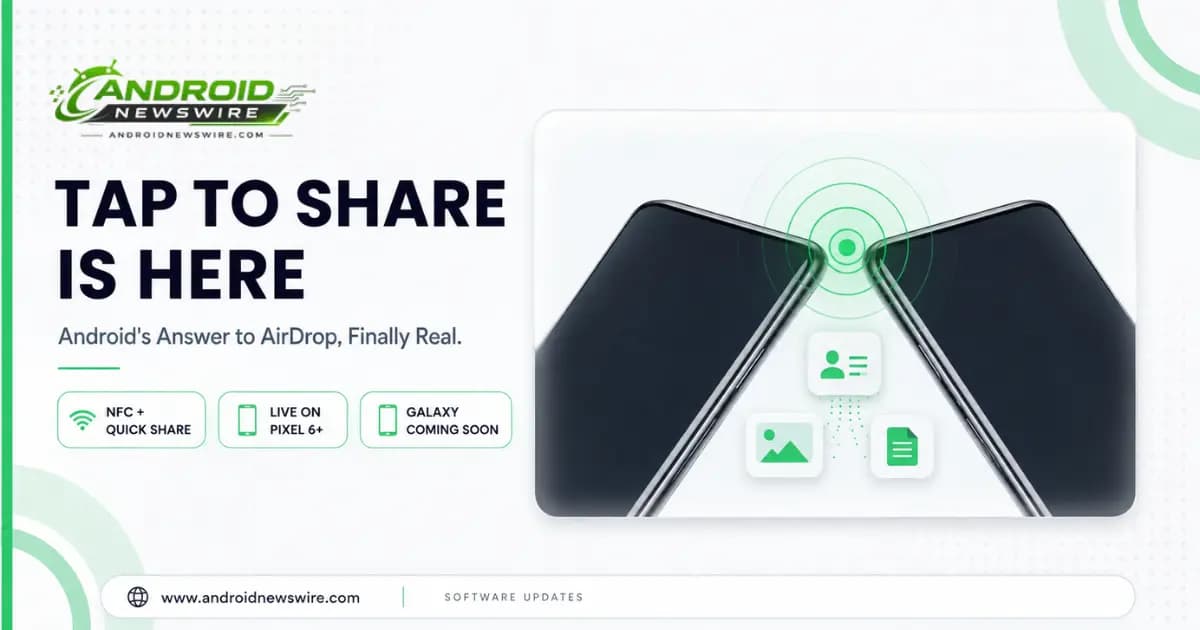
For as long as Android has had Quick Share, sharing a file with someone standing right next to you has involved more steps than it reasonably should: open the share sheet, find the right device in a discovery list, wait for it to connect, confirm the transfer. Google just collapsed most of that into a single physical gesture. Tap to Share is now live, letting you swap contact cards, photos, videos, links, and documents simply by bringing two compatible Android phones close together.
How It Actually Works
The mechanism is a genuinely elegant combination of two technologies working together rather than one doing all the work. Tap to Share uses NFC (Near Field Communication) as a proximity trigger – the physical tap that wakes up and initiates the sharing handshake – while the actual file transfer itself runs over Quick Share’s existing Wi-Fi Direct and Bluetooth infrastructure, which handles the higher-bandwidth data movement NFC alone was never built for.
Using it is refreshingly simple, and Google has streamlined it down to just two real steps depending on what you’re sharing:
- To share a contact card, just bring two compatible phones together from their home screens – no menu digging required at all.
- To share a photo, video, or file, select it in whatever app you’re already using, tap the share button to open the share sheet, then bring the two phones close together to complete the transfer.
Compare that to the traditional Quick Share flow – open share sheet, wait for nearby device discovery, select the right device from a list, confirm on both ends – and the difference is real. Device discovery has historically been where Quick Share stumbles most often; a physical tap sidesteps that step entirely by replacing “find the right device nearby” with “you’re already touching it.”
Why the Pixel 11 Does This Better Than Older Phones
There’s a genuine hardware engineering story behind why this feature feels smoother on Google’s newest phones specifically. On the Pixel 11 series, Google physically relocated the NFC chip to the top of the device, rather than keeping it in its more traditional position closer to the phone’s center or back.
That’s not a cosmetic detail – it directly changes the physical gesture required to use the feature. On older Android phones with centrally or rear-positioned NFC chips, getting two devices to recognize each other for Tap to Share can require holding the phones back-to-back and effectively guessing at alignment, since there’s no clear reference point for where each phone’s NFC antenna actually sits. With the NFC module moved to the top edge on the Pixel 11, you can simply bring the tops of two phones near each other – a far more natural, confident gesture that doesn’t require any trial-and-error fumbling to find the right spot.
Which Devices Have It Right Now – and What’s Coming
Tap to Share rolled out starting with the Pixel 11 launch, and it’s available today on Pixel 6 and every newer Pixel model – not exclusive to the brand-new lineup, which is a meaningful detail for anyone still running slightly older Pixel hardware.
Samsung is next in line. Google has confirmed the feature is coming soon to the Galaxy Z Fold 8, Galaxy Z Fold 8 Ultra, and Galaxy Z Flip 8, with broader Android device support across the ecosystem expected by the end of the year. Because the underlying service lives inside Google Play Services rather than being buried in a manufacturer-specific software layer, there’s a real technical case for this reaching devices well beyond Google and Samsung’s own hardware – Xiaomi, OnePlus, Motorola, and Oppo phones could plausibly pick it up through the same Play Services update path, rather than needing each manufacturer to build a separate implementation from scratch.
A Long Time Coming, If You’ve Been Tracking the Leaks
If this feature name sounds familiar, that’s because it’s had an unusually long, visible development trail. Evidence of NFC-based device-tap sharing first surfaced as a hidden Labs experiment inside Samsung’s One UI 8.5 back in September 2025, initially reading as a Samsung-only test with no broader implications. By the time One UI 9 previews arrived this spring, the feature had a proper name and clearer functionality, with system strings referencing phrases like “Tap your phone with someone.” A system-level service called TapToShare was also spotted in Android 17 beta and Canary builds around the same time – a strong signal it was always intended as a platform-level Android feature rather than a Samsung-exclusive one, which is exactly how it’s ended up shipping.
The Real Comparison Point: Apple’s NameDrop and AirDrop
It’s fair to describe Tap to Share as Android’s answer to Apple’s NameDrop and AirDrop – the tap-to-share contact and file-swapping gestures that have been a genuine convenience advantage for iPhone users at networking events, classrooms, and casual meetups for years. Android has had cross-device sharing tools for a long time, including earlier, clunkier attempts like Android Beam, but none delivered the same near-instant, gesture-first experience Apple’s ecosystem has offered. Interestingly, this launch arrives on the heels of Google’s own AirDrop interoperability work – cross-platform sharing between Pixel and iPhone, and Galaxy and iPhone, has already been rolling out – meaning Android’s file-sharing story is improving on two fronts simultaneously: better sharing within Android itself, and better sharing across to Apple’s ecosystem too.
What This Means for You Right Now
If you’re already on a Pixel 6 or newer, Tap to Share should be available to you immediately with no extra setup beyond making sure Quick Share and NFC are both enabled in your settings. If you’re on a Galaxy device, the feature is confirmed but not live yet specifically for the Z Fold 8, Z Fold 8 Ultra, and Z Flip 8 – worth checking back on as Samsung’s own rollout timeline firms up. And if you’re on a different Android brand entirely, the “by end of year” timeline Google has given, combined with the feature living in Play Services rather than a manufacturer skin, is a reasonable basis for optimism that this eventually reaches your device too, even without a specific date attached yet.