
Android 17 Beta 4.1 Is Live — 5 Fixes Before Stable Launch
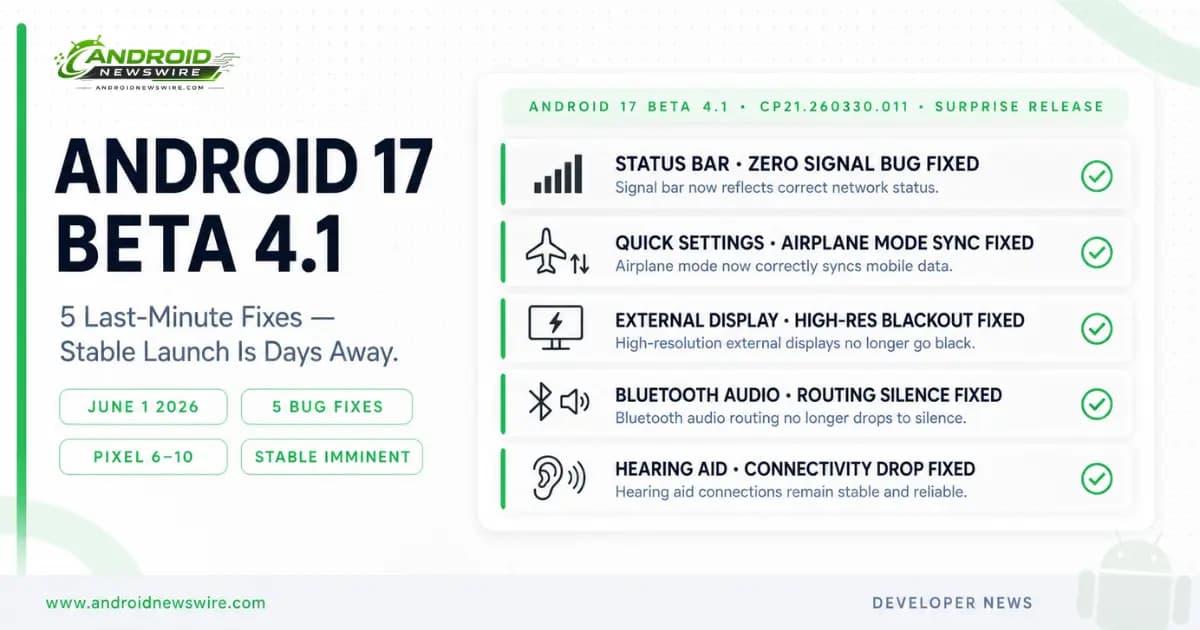
Google released Android 17 Beta 4.1 on June 1, a surprise point update that arrived after the company had explicitly described Beta 4 as the last scheduled beta of the Android 17 release cycle. The unplanned release carries five targeted bug fixes addressing issues that beta testers had been reporting in the final stretch of testing. Build number CP21.260330.011 is now rolling out over the air to all Pixel devices enrolled in the Android Beta Program.
The appearance of an unscheduled .1 patch at this stage sends a clear signal to anyone watching the Android 17 launch trajectory: stable is very close. Google does not ship a last-minute bug fix release unless the stable build is weeks or days away from deployment. Every fix in Beta 4.1 is a regression that was not going to make it into stable — which means Android 17 stable is now cleaner than it would have been if Beta 4.1 had not shipped.
Build Numbers and Device Coverage
Beta 4.1 ships in two build variants depending on device generation.
Pixel 6, Pixel 6 Pro, Pixel 6a, Pixel 7, and Pixel 7 Pro receive build CP21.260330.011.A1. All other supported Android 17 beta devices — including the Pixel 7a, Pixel Tablet, Pixel Fold, and the full Pixel 8 and Pixel 9 series — receive build CP21.260330.011.
The Pixel 10 series is supported across all models as expected given its primary position in the Android 17 beta programme. One notable absence in the initial rollout: the Pixel 10a is currently missing from the Beta 4.1 distribution. No explanation has been provided by Google for the exclusion. Given that the Pixel 10a received every previous Android 17 beta build, the exclusion is likely a temporary staging issue rather than a deliberate decision — watch for a follow-up rollout to the Pixel 10a in the coming days.
The update also carries the May 2026 security patch, which was not included in the Beta 4 build for all devices. Enrolling in the beta programme or checking for the update manually ensures the security patch is applied alongside the bug fixes.
The Five Fixes in Beta 4.1
Fix 1 — Status Bar Signal Display Bug
The most visible bug addressed in Beta 4.1 is a status bar issue that displayed zero signal bars despite the device having active cellular connectivity. For beta testers experiencing this, the phone appeared to have lost service entirely — a deeply disorienting display failure that caused users to attempt network troubleshooting for a problem that did not actually exist.
The bug was tracked as Issue #488358813 in the Android Issue Tracker and had accumulated significant tester reports through May. On an operating system where the status bar signal indicator is among the most constantly visible UI elements, shipping stable with a bug that makes the phone appear disconnected was not acceptable — Beta 4.1 resolves it.
Fix 2 — Quick Settings Airplane Mode Sync Issue
A UI synchronisation bug caused the mobile data Quick Settings tile to remain visually active — showing the data connection icon as enabled — even after Airplane mode was engaged and cellular connectivity was correctly disabled at the system level.
The fix tracks across three separate Issue Tracker reports — #501368569, #505757076, and #512828669 — indicating the problem appeared across multiple device and configuration combinations rather than being isolated to a specific hardware scenario. The visual mismatch between the Quick Settings tile state and the actual connectivity state was not a functional bug — Airplane mode was working correctly underneath — but a UI accuracy failure that undermined user confidence in the system state display.
Fix 3 — External Display High-Resolution Blackout
Connecting an Android 17 beta device to an external display and selecting a high resolution caused the external display to go black — rendering the connected display unusable at the user’s preferred output resolution. The bug, tracked as Issue #504952465, affects the desktop mode workflow that Android 17 expands with new capabilities for keyboard and mouse connected use.
This fix is particularly relevant given Android 17’s expanded Desktop Mode and the Googlebooks platform announced at The Android Show. A stable release that dropped external display connectivity at high resolutions would have been a damaging first impression for Android’s emerging laptop and desktop use cases. Beta 4.1 resolves the blackout before stable ships.
Fix 4 — Bluetooth Audio Routing Silence
A Bluetooth audio routing bug caused playback silence after system interruptions — specifically after timer events fired while audio was playing through a Bluetooth connection. The sequence that triggered the bug: audio playing through Bluetooth headphones or speakers, a system timer fires (alarm, countdown, reminder), and audio fails to resume correctly after the interruption, leaving the Bluetooth output silent until the user manually intervenes.
For daily use scenarios — music playing while a kitchen timer runs, a podcast interrupted by a reminder, audio playback during a workout with timed intervals — this was a genuinely disruptive bug. Bluetooth audio is a primary use case for the majority of Android users, and a routing failure triggered by the most common system event (a timer) needed to be fixed before stable.
Fix 5 — Hearing Aid Connectivity Drop
Beta 4.1 addresses a bug that caused paired hearing aids to be dropped — disconnecting from the device — under certain conditions. While this affects a smaller subset of users than the other four fixes, it is arguably the most consequential on a per-user basis. Hearing aid connectivity is an accessibility-critical function. A device that unpairs hearing aids unexpectedly creates a genuine accessibility failure for users who depend on the connection.
Android 17’s accessibility improvements are a confirmed feature of the release. Shipping stable with a hearing aid connectivity regression would have directly contradicted those improvements for the users they are most intended to serve.
Why Beta 4.1 Matters Beyond Its Changelog
The “Last Scheduled Beta” Context
Google called Beta 4 the last scheduled beta of the Android 17 release cycle in April. That statement remains technically accurate — Beta 4.1 is described officially as a “minor update to Android 17 Beta 4,” not a new numbered beta. The distinction is not merely semantic. Google’s policy of labelling Beta 4 as the final scheduled release gave developers a clear signal that the platform API surface and feature set were complete. Beta 4.1 does not change that signal — it carries no API changes, no new features, and no platform modifications. It is exclusively a bug fix release.
The significance of its arrival is the timing it implies for stable. Google ships point releases of this kind specifically when stable is close enough that the bugs being fixed would otherwise ship to users. The fact that five specific issues required a dedicated point release — rather than being deferred to a post-stable QPR1 patch — tells developers that stable is near enough that allowing these regressions to reach users was not acceptable.
What This Means for Developers
For developers who have been running their final compatibility tests against Beta 4, Beta 4.1 represents the current most accurate preview of what Android 17 stable will look like. The five fixes in Beta 4.1 are all platform-level UI and connectivity issues rather than API surface changes — meaning no code changes are required to accommodate them. But testing your app’s behaviour in the corrected state — particularly any app that relies on Bluetooth audio, external display output, or real-time connectivity status monitoring — is worthwhile before stable arrives.
The Bluetooth audio routing fix in particular is relevant for any app that manages audio playback and handles interruptions — timer events are a common trigger in fitness, cooking, meditation, and productivity apps. If your app’s audio session handling assumes clean Bluetooth routing after a system interruption, test against Beta 4.1 on physical Pixel hardware rather than the emulator, which does not reproduce Bluetooth routing behaviour.
How to Get Beta 4.1
The update is rolling out over the air to all enrolled Pixel devices. If you are already on the Android Beta Programme for Pixel, check Settings → System → System update. The Beta 4.1 OTA may take several days to reach all enrolled devices in the staged rollout.
If you want the update immediately rather than waiting for the staged delivery, the Beta 4.1 factory images and OTA packages for all supported Pixel devices are available at the Android Beta Programme page on developer.android.com.
To enrol a device that is not yet in the beta programme: visit developer.android.com/about/versions/17/get, sign in with your Google account, and opt in your eligible Pixel device. The Beta 4.1 OTA will arrive within 24 hours of enrolment.
Android 17 Stable: The Final Countdown
With Beta 4.1 now in the hands of testers, Android 17 stable is the next and final step in the release cycle. Based on Android 16’s June 10, 2025 stable release date and the trajectory of the Beta 4.1 rollout, the most probable window for Android 17 stable remains June 4–14, 2026.
Android 17 stable will land first on Pixel devices — all supported models from Pixel 6 through the Pixel 10 series. OEM updates from Samsung, OnePlus, Motorola, and others follow in Q3 and Q4 2026 on their respective timelines.
Android News Wire will have full breaking coverage the moment stable drops. Every new feature, every change in behaviour from Beta, and the complete day-one guide for Pixel users will be live as fast as we can publish it. Check back daily this week.