
Android 17 QPR2 Beta 3 Is a Genuinely Big Update — App Lock, Quick Settings Editor, and a Blurrier Lock Screen
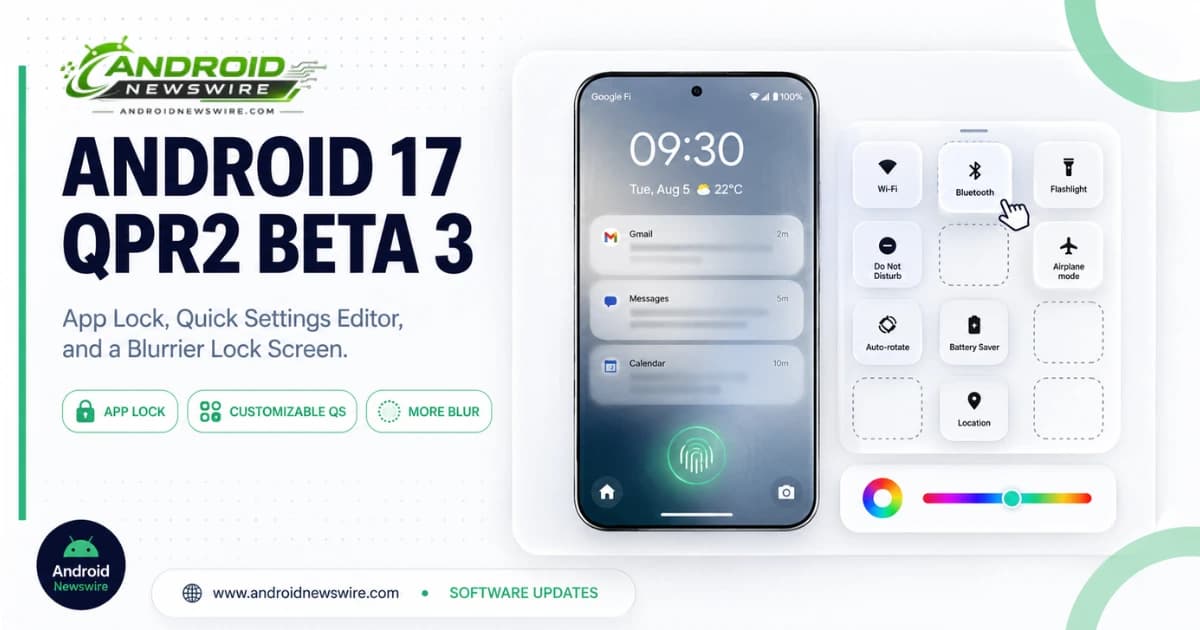
Google doesn’t usually drop beta builds on a Friday, which made this week’s release stand out before anyone had even opened the changelog. Android 17 QPR2 Beta 3 arrived unexpectedly on August 14, and unlike the previous two builds in this cycle — which shipped light on visible changes — this one is packed with genuinely user-facing additions: a native app-locking feature, a full Quick Settings customization editor, significantly expanded color theming, more lock screen blur, and real multitasking improvements for foldables.
App Lock Finally Comes to Pixel
The headline addition is a native App Lock feature, letting users secure individual apps behind biometric authentication or a PIN. This is functionality Samsung has offered through Knox’s Secure Folder system since 2016, and its arrival on Pixel closes a long-standing gap between Google’s own hardware and the app-level privacy controls Samsung and Apple users have had for years. Whether App Lock, alongside this build’s new fraud protections, is enough to fully close that broader security and personalization gap is something Pixel users will be well-positioned to judge over the coming weeks of beta testing.
The Quick Settings Panel Finally Lets You Rearrange Things
If there’s one change in this build that’s likely to generate the most immediate day-to-day appreciation, it’s the new Quick Settings layout editor. For as long as Quick Settings has existed in its current form, the top row has defaulted to a fixed set of four tiles — Wi-Fi, Bluetooth, Modes, Wallet, that general category — with media playback controls relegated further down. The new editor lets you actually drag and reorder these sections however you prefer: want your brightness slider positioned at the bottom instead of buried mid-panel? Done. Want your “Now Playing” media card front and center at the very top instead of the default tile row? That’s now just a drag-and-drop action rather than something baked permanently into the OS.
It’s a genuinely simple change on paper, but it’s the kind of long-requested flexibility that makes a phone feel meaningfully more like your own device rather than a fixed template Google designed for everyone identically.
Dynamic Color Theming Gets Real Depth
Alongside the layout editor, Dynamic Color theming — the system that generates a device-wide color palette based on your wallpaper — picks up substantially more control than it’s ever had before. Beta 3 adds a dedicated hue-adjustment slider, letting you fine-tune the generated color rather than accepting whatever shade the system algorithm lands on by default, plus four additional distinct color style options beyond what was previously available. Together, that gives Pixel owners meaningfully more granular control over how their entire system’s visual identity looks, rather than being limited to whatever palette Android’s wallpaper-extraction algorithm happens to produce.
A Blurrier, More Translucent Lock Screen
Google continues pushing its lock screen toward a more translucent, glass-like aesthetic in this build. Rather than solid, fully opaque backgrounds, several lock screen elements now render with a genuine blur effect that lets your wallpaper show through underneath: the notification list, two of the lock screen shortcuts, and the fingerprint sensor icon all pick up this translucent treatment in Beta 3. It’s worth noting the effect isn’t applied uniformly across every lock screen element yet — some shortcuts still render with the older solid-background style — and how noticeable the blur actually looks in practice will vary depending on your specific wallpaper’s contrast and detail level.
Foldable Multitasking Gets Genuinely Better
For anyone running a Pixel Fold or Pixel 9/10 Pro Fold, this build includes real, substantive multitasking improvements rather than cosmetic polish. Active app windows now display a small app handle at the top edge — pulling that handle down instantly drops a full-screen app into split-screen mode, while dragging it upward snaps a split-screen app straight back to fullscreen. Google also streamlined the process for converting a chat bubble into a full-screen window, and relocated the “Move to fullscreen” option directly to the top of the relevant context menu rather than leaving it buried further down. These are exactly the kind of granular interaction refinements that matter disproportionately to foldable owners, given how much of the daily foldable experience revolves around constantly shifting between full-screen and split-screen modes.
New Anti-Fraud Protections
Beta 3 also introduces “Hardening against call forwarding fraud,” a new security restriction targeting programmatic call forwarding — a known vector scammers use to silently reroute a victim’s incoming calls without their knowledge. As part of this protection, the update adds a confirmation dialog whenever a USSD code is dialed manually, closing off a specific manipulation technique fraudsters have used to activate call forwarding without the phone’s owner realizing what happened.
Bugs Fixed in This Build
Beta 3 also resolves two notable issues that had been reported in earlier QPR2 builds:
- A bug causing visual corruption and an unexpected device restart when opening the notification shade and Quick Settings menu.
- An error in the Device Health and Support tool that was incorrectly displaying false battery capacity degradation warnings to users — a fix worth flagging given the amount of attention battery-related bugs have gotten across the Pixel lineup this summer.
For Developers
This particular build is being described as a minor SDK release with no planned behavior changes requiring extensive compatibility work. The emphasis here is squarely on platform stability and user-facing refinement rather than any meaningful shift to the API surface — good news for developers who don’t want to budget significant testing time around this specific build, though the usual advice to verify your app’s behavior on any new beta still applies.
Who Gets It, and When to Expect Stable
Beta 3 is rolling out now to Android Beta Program participants, and is also available via system images for a wide range of devices: Pixel 6a, Pixel 7, Pixel 7 Pro, Pixel 7a, Pixel Tablet, Pixel Fold, Pixel 8, Pixel 8 Pro, Pixel 8a, Pixel 9, Pixel 9 Pro, Pixel 9 Pro XL, Pixel 9 Pro Fold, Pixel 9a, Pixel 10, Pixel 10 Pro, Pixel 10 Pro XL, Pixel 10 Pro Fold, and Pixel 10a. Notably, this list includes the Pixel 6a and Pixel 7 series — devices that were excluded entirely from this month’s stable Android 17 security patch, which makes their inclusion in the QPR2 beta program worth watching, since it suggests Google hasn’t fully abandoned these devices even as their stable-channel update cadence has visibly slowed.
Google hasn’t published a firm date for QPR2’s final stable release, though the company’s quarterly Feature Drops have historically landed in the final month of each quarter — pointing toward a December 2026 stable launch, consistent with what Google has previously signaled for this cycle. Expect additional beta builds between now and then to refine these new features and iron out any regressions this build introduces.