
Android Studio Panda 3 Is Stable: Agent Skills & AI Permissions
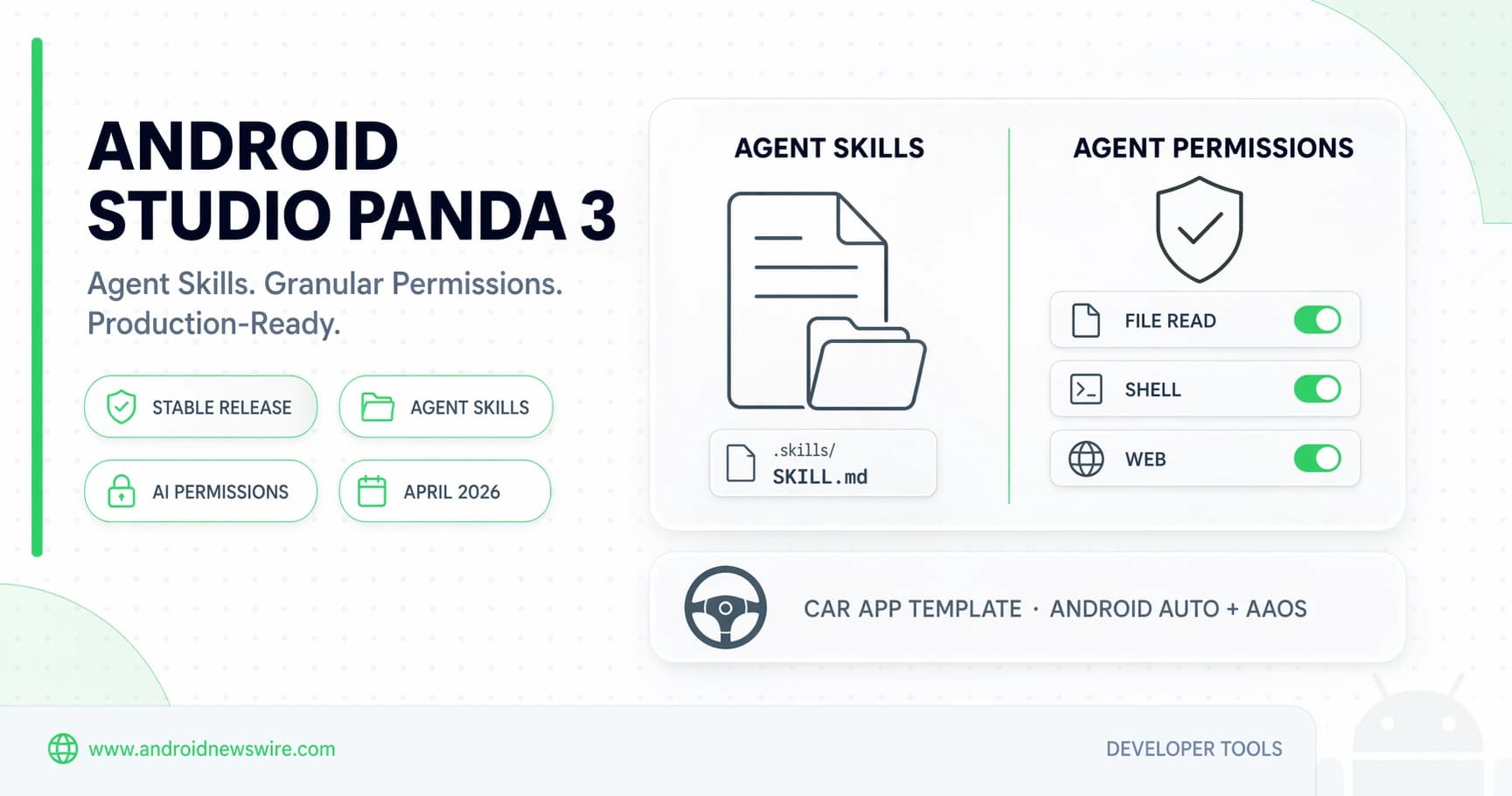
One month after Panda 2 arrived with the headline capability of building working app prototypes from a natural language prompt, Google has shipped the follow-up: Android Studio Panda 3, stable and production-ready as of April 2, 2026. Panda 3 gives developers even more control and customization over AI-powered workflows, making it easier than ever to build high-quality Android apps. Whether bringing new capabilities to an existing app or standing up a brand new app, these updates elevate the development experience by allowing the AI Agent in Android Studio to learn specific practices and giving granular control over its permissions.
The two problems Panda 3 solves are the two problems that every team encountered after Panda 2: the agent did not know your team’s conventions, and there was no fine-grained way to control what it was allowed to do. Agent Skills and the new permission system fix both of those problems directly — and a new Car App Library template rounds out a release that is clearly aimed at making AI-assisted development viable not just for solo developers, but for professional teams working at production scale.
Feature 1: Agent Skills — Teach the Agent Your Team’s Playbook
The headline addition in Panda 3 is Agent Skills: a way to encode your team’s specific workflows, coding standards, and library conventions into the AI agent permanently, so you never have to re-explain your codebase conventions in a prompt again.
Agent Skills let developers create custom instruction files in a .skills directory to teach the AI agent organization-specific workflows, coding standards, and library usage, reducing the need for detailed prompts.
The mechanics are deliberately simple. To create a skill: create a .skills directory inside your project’s root folder, place a SKILL.md file inside this new directory, and add a name and description to the file to define your custom workflow — and your skill is ready. Optionally include scripts, assets, and references to provide even more guidance to the agent.
The range of what a skill can encode is broad. For example, you could create a custom “code review” skill tailored to your organization’s coding standards, or a custom skill to provide the agent with more information on using an in-house library. Once defined, the agent does not need to be told about that skill every session — it is part of the project permanently.
Once a skill is created, the agent will be able to use it automatically, or it can be manually triggered by typing @ followed by the skill name. The @ trigger is familiar to anyone who has used Gemini in other Google tools — it makes skill invocation feel natural rather than like a configuration step. And for teams that want to start without knowing exactly how to write a skill file from scratch: ask the agent to help build a new skill and it will guide you through the details.
The practical impact for teams is significant. Before Agent Skills, using Agent Mode effectively in an established codebase required front-loading every prompt with context — which architecture patterns to use, which internal libraries to prefer, which naming conventions to follow, what the code review checklist looks like. A developer new to agentic tools would spend as much effort on prompt engineering as on the actual task. With Agent Skills, that institutional knowledge lives in the .skills directory as a versioned, shareable, reviewable part of the project — the same as any other source file. New team members, onboarding to the codebase, automatically get an agent that already understands it.
Feature 2: Granular Agent Permissions — Control Exactly What the Agent Can Do
Panda 2 introduced the agent concept. Panda 3 introduces the permission layer that makes running an agent in a production codebase safe. Developers can now be more deliberate with which data and capabilities they choose to share with AI agents. The new granular permission system gives control over file reads, shell execution, and web access.
The permission model is designed around reducing friction for legitimate actions while maintaining explicit control over sensitive ones. Granting high-level permissions automatically authorizes related sub-tools, while commands previously approved will run automatically without interrupting the development flow. Accessing sensitive files like SSH keys will always require explicit sign-off.
The automatic authorization of related sub-tools is an important usability detail. If you grant the agent permission to run Gradle commands, it does not need separate permission for each individual Gradle task — the high-level grant covers the family of related operations. This prevents the “approval fatigue” that can make permission systems counterproductive, where every small agent action triggers a confirmation dialog that developers quickly start dismissing without reading.
For even more security, an optional sandbox can be used to enforce strict, isolated control over the agent. The sandbox mode is specifically relevant for enterprise teams working with sensitive codebases — client-facing financial apps, healthcare data systems, or regulated software categories where an AI agent with unrestricted file access would be a compliance concern. Sandbox mode creates a controlled boundary around what the agent can observe and modify, without disabling the agent functionality entirely.
The permission system also addresses a practical concern that has prevented some security-conscious teams from enabling Agent Mode at all: the risk that an agentic workflow might access, read, or transmit content from files it has no legitimate reason to touch. With granular permissions, teams can scope the agent’s access to the specific module or directory it is working in, rather than granting project-wide access by default.
Feature 3: Empty Car App Library App Template — Automotive Development Without the Boilerplate
Android Studio Panda 3 also includes updated support for building Android apps for cars. The third headline feature is a new project template that removes the most frustrating part of starting a Car App Library project from scratch.
Building apps for the car used to mean wrestling with complex configurations just to get the project to build successfully. The new “Empty Car App Library App” template in Android Studio takes care of the required boilerplate code for a driving-optimized app on both Android Auto and Android Automotive OS.
The template is timed precisely to the AAOS SDV announcement we covered earlier this month — Google’s repositioning of Android Automotive OS from an infotainment screen platform to a full vehicle software layer. As AAOS SDV creates a new class of automotive app development opportunities, having a clean, zero-configuration starting point for Car App Library projects removes one of the practical barriers that has historically made automotive Android development feel inaccessible to developers who are not already Tier 1 automotive supplier engineers.
For developers who are just beginning to evaluate the AAOS SDV developer opportunity — detailed in our Android Is Now a Full Vehicle OS — Developer Opportunity Guide — this template is the recommended starting point. Spin up the template, run it on the Android Automotive OS emulator, understand the Car App Library’s driving-mode interaction model, and build from there.
Panda 3 in Context: Where This Fits in the Panda Release Arc
Panda 3 builds off last month’s AI-focused Panda 2 release. Understanding the progression between the two stable releases clarifies what each one was designed to solve.
Panda 2 was the capability release: prompt to prototype, agentic project generation, automated dependency management, the ability for the AI to scaffold, build, test, and iterate on an app with minimal human intervention at each step. It answered the question: what can AI-assisted development do?
Panda 3 is the control release: it answers the question: how do teams adopt AI-assisted development safely and at scale? Agent Skills codify team knowledge so the agent works within your conventions rather than against them. Granular permissions define the boundaries of what the agent is authorized to do in a production codebase. The combination makes AI development workflows something a team lead can actually roll out to a team — with confidence that the agent will follow established standards and operate within defined boundaries — rather than a personal productivity experiment that each developer uses on their own terms.
The release cadence is also noteworthy. Panda 3 Patch 1 is already available Android Studio just weeks after the initial stable release, and the Android Studio release blog shows Panda 4 RC 1 already in the pipeline. Google is shipping Android Studio stable releases at a pace that matches the speed it expects AI development tooling to evolve — roughly monthly stable drops, each building directly on the previous one.
How to Get Android Studio Panda 3
Update via Help → Check for Updates inside Android Studio to get Panda 3 stable. If you want to install it alongside an existing stable installation to evaluate it without disrupting your current workflow, use Android Studio’s parallel installation capability — both versions run independently.
The model string for Android Studio Panda 3 is 2025.3.3. Panda 3 Patch 1 is the current latest stable build, incorporating stability fixes on top of the initial release.
For teams that want to start with Agent Skills immediately: create a .skills directory in your project root, create a SKILL.md file, name it, describe your workflow, and ask the agent to help you build it out from there. The agent will walk you through adding detail and structure to the skill file — the bootstrap is intentionally conversational rather than requiring documentation-reading before the feature is usable.
What Panda 4 Adds — A Look at What’s Next
With Panda 4 RC 1 already available for early testing, the next stable release is close. Android Studio Panda 4 Canary 2 introduces access to an enhanced Agent Mode experience when subscribing to Google One AI Pro or Ultra plans. The Google One integration supercharges Android development with higher rate limits and an expanded context window for the default Gemini model. Users subscribed to a Google One AI Pro or Ultra plan can take advantage of these benefits automatically when signed into their Google Account in Android Studio.
Panda 4’s Google One integration signals the trajectory for Android Studio’s AI tier differentiation: free tier for lightweight agent use with standard rate limits, paid tier for teams that need the agent to handle larger projects with deeper context and faster response cycles. The expanded context window is particularly relevant for large, multi-module codebases where Panda 2 and 3’s agent workflows can bump against context limits when navigating between distant parts of a project.
Related on Android News Wire:
- Android Studio Panda 2: AI-Powered Development Goes Agentic
- Android Is Now a Full Vehicle OS — The AAOS SDV Developer Opportunity
- Android Bench: Google’s New AI Benchmark for Android Development
- Android 17 Beta Cycle Is Accelerating — Developer Survival Guide
- Top Android Developer Stories: March 2026 Week 1