
Gemini for Home Finally Gets Continued Conversation — No More Repeating “Hey Google” for Every Follow-Up
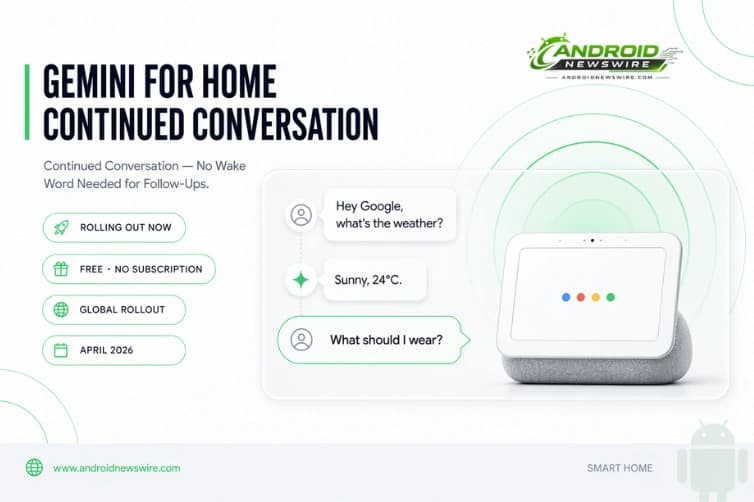
If you have ever felt like talking to Gemini on a Google Nest speaker is less like a conversation and more like a series of disconnected commands — each one requiring a fresh “Hey Google” to wake the device back up — Google has heard you. Today, Google is delivering on a top request from Gemini for Home users: Continued Conversation, which makes it easier to have more natural chats with Gemini without saying “Hey Google” every time.
The feature began rolling out on April 21, 2026, and represents one of the most meaningful usability improvements to the Gemini for Home experience since the assistant launched. It is available free of charge, works globally across all supported languages and regions, and covers every Nest speaker and smart display in your home from day one.
What Continued Conversation Actually Does
The mechanic is straightforward but the impact on daily use is significant. Like with Google Assistant, Continued Conversation keeps the microphone active for a few seconds after the response to your first question. The lights on your device will continue to pulse or glow to show that Gemini is still listening.
That pulsing light is the key visual cue. When Gemini finishes answering your question and the lights continue glowing, you have an active window to ask your next question naturally — no wake word, no pause, no restart. The conversation flows the way a conversation between two people actually flows, rather than requiring a ritual invocation at the start of every single exchange.
Gemini will remember the conversation thread, so you won’t need to repeat yourself when asking the follow-up question. This context retention is the other half of what makes the feature genuinely useful rather than just a microphone timeout extension. A follow-up that references the previous answer — “add those to my shopping list,” “what about the weekend instead?”, “set a timer for that” — works because Gemini understands what “those” and “that” and “instead” refer to from the prior exchange.
The practical use cases compound quickly. For example, if Gemini provides a recipe, once it details ingredients, you can immediately say “Add those items to my grocery list” without repeating the context. Ask about the weather, then ask what you should wear without re-explaining that you just asked about the weather. Ask Gemini to play a particular genre, then follow up with “but skip anything from before 2010” without starting over.
Smarter Side-Talk Detection: Fewer Accidental Activations
One of the genuine frustrations of voice assistant continued listening modes has historically been false activations — the assistant responding to a side conversation with another person in the room, or mishearing background audio as a query. Continued Conversation in Gemini for Home addresses this directly.
Google said today that Continued Conversation was a top-requested feature from beta testers, and it should help to make Gemini for Home more natural to use. Google added: “We’ve refined how Gemini detects your queries to make your conversations feel more natural. It can now better tell the difference between a follow-up question and a side conversation with someone else in the room — meaning fewer accidental activations and a lot more focus on you.”
This side-talk detection improvement matters specifically in shared living spaces — the kitchen while cooking, the living room with multiple people, a home office with background calls. The old Continued Conversation feature that existed in Google Assistant was notoriously prone to false triggers in these environments, which is part of why many users had disabled it. Google’s work on better contextual intent detection — distinguishing “I’m talking to the assistant” from “I’m talking to someone else in the room” — directly addresses that friction.
The History: Why This Announcement Matters More Than It Might Seem
This feature’s arrival is more significant than it appears at first glance, because Continued Conversation has a complicated history with Gemini for Home specifically.
Google Assistant supported Continued Conversation for free for years. When Google began transitioning users from Google Assistant to Gemini for Home, the feature effectively disappeared — Continued Conversation’s equivalent became Gemini Live, which was locked behind the Google Home Premium subscription at $10 per month. Users who had relied on wake-word-free follow-up conversations as a fundamental part of how they used their smart home devices suddenly found that capability paywalled, generating significant community frustration in late 2025.
This lets you ask a follow-up question without repeating the “Hey Google” hotword for a more natural back-and-forth conversation when you don’t want to use Gemini Live. The framing is deliberate: Continued Conversation is now explicitly positioned as a free alternative to Gemini Live for users who want natural back-and-forth dialogue without a subscription. Gemini Live remains available for deeper, longer-form conversational sessions, but the core follow-up question functionality is now restored to the free tier.
The distinction between the two: Continued Conversation is a short-window follow-up system — a few seconds of active listening after each response, designed for query chains. Gemini Live is a full duplex, always-on conversational experience more analogous to a phone call with the AI. Both have their place, but most everyday smart home interactions — cooking timers, shopping lists, weather queries, music requests — are better served by Continued Conversation’s lighter-touch approach.
Who Gets It and How to Enable It
The feature is available for everyone in the home, including guests. Additionally, it has received multilingual support, as other regions receive it this week alongside the U.S. The global rollout across all Gemini for Home supported languages is a meaningful step beyond the English-only limitation that characterized the original Google Assistant version of the feature.
Critically, Google is rolling out Continued Conversation for Gemini for Home early access users, and the feature is available without a subscription. No Google One subscription, no Google Home Premium tier, no additional payment required.
The feature is not enabled by default. To enable it, open the Google Home app and navigate to Home Settings → Gemini for Home voice assistant → Continued Conversation.
The opt-in approach rather than automatic enabling is the right call for a feature that keeps a microphone active. Users who want the convenience can enable it in seconds. Users who prefer that their smart home devices stop listening immediately after a response retain that behavior by default. Privacy-conscious households where children are present, or users who are generally cautious about always-listening microphones, are not forced into a change in behavior without their explicit consent.
Once enabled, the setting applies across all Nest speakers and smart displays in the home — it is a household-level setting, not a per-device configuration. Any guest in the home can also use the feature once enabled, which means households where visitors regularly interact with smart home devices do not need to walk them through any setup.
The Broader Gemini for Home Picture
Continued Conversation arrives alongside a broader period of rapid capability expansion for Gemini for Home. Gemini for Home recently updated the AI with better musical capabilities for songs and playlists, as well as understanding for casual speech. The combination — better music control, more natural language understanding, and now genuine multi-turn conversation without wake word repetition — represents a meaningfully improved smart home voice experience compared to even six months ago.
The timing also connects to the broader platform trajectory visible across Google’s 2026 AI announcements. Gemini screen automation on Pixel 10 — which we covered in our Gemini Screen Automation launch article — lets Gemini handle multi-step tasks in apps without user intervention. Android 17’s “intelligent OS” positioning puts Gemini as an orchestration layer across the platform. And now Continued Conversation extends that ambient intelligence model into the home environment — Gemini that keeps listening, retains context, and responds to natural follow-through rather than requiring deliberate invocation every time.
The smart home assistant vision Google has been building toward is one where the AI is a persistent, contextually aware presence rather than a repeatedly-triggered command processor. Continued Conversation is the home environment’s expression of exactly that vision.
Quick Setup Guide
Getting Continued Conversation running takes about thirty seconds:
Open the Google Home app on your Android phone → tap the settings gear icon → Home Settings → Gemini for Home voice assistant → Continued Conversation → toggle it on.
Once enabled, say “Hey Google” and ask your first question as normal. When Gemini finishes its response, watch for the lights on your Nest speaker or display to continue pulsing — that is your window. Ask your follow-up naturally. No wake word needed.
If the lights stop pulsing before you ask your follow-up, the window has closed — just say “Hey Google” to start a fresh exchange. The window length is fixed at a few seconds by design, keeping the feature responsive without leaving the microphone open indefinitely.
Related on Android News Wire: