
Google Pixel April 2026 Update: Game Crashes, Quick Share & Backup Menu All Fixed
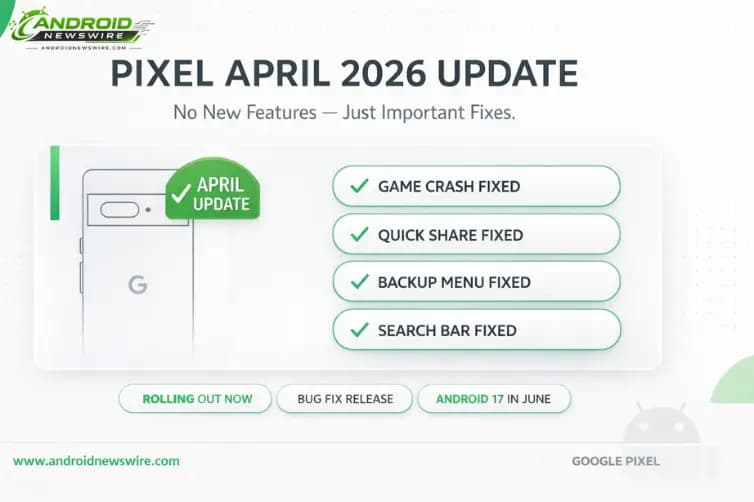
Google’s April 2026 Pixel Update Is Rolling Out – Here’s Every Bug It Fixes
April’s Pixel update is here, and it is a notably different kind of release from March. Last month brought the record-breaking 129-CVE security bulletin, a wave of new features in the Pixel Drop, and – less helpfully – a cluster of regressions that broke always-on display, Pixel Watch health sensors, and location-based automations. This month, Google has dialled back to basics: no new features, no Pixel Drop, just a focused round of bug fixes targeting crashes and missing UI elements that have been affecting real daily use. If games have been crashing on your Pixel, or Quick Share has been falling over mid-transfer, or your Backup menu has mysteriously disappeared, this is the update you have been waiting for.
What the April 2026 Pixel Update Fixes
The April 2026 release is much smaller than March’s. Last month, Google rolled out a Pixel Drop complete with new features, but this month, all we get is bug fixes. Still, some of the fixes address potentially very annoying bugs, including those causing crashes to certain games, banking apps, and Quick Share during file transfer.
Breaking down each fix:
Game and banking app crashes. This is the headline fix for most users. The April 2026 update includes fixes for bugs causing crashes to certain games and banking apps. Game crashes on Android are particularly frustrating because they often occur mid-session – losing progress, interrupting competitive matches, or breaking purchase flows in ways that are difficult to diagnose. The fact that banking apps are also in the affected category makes this more than a gaming inconvenience. A banking app crash during a payment or transaction flow is a meaningful reliability failure for a device carrying financial data. Both are fixed in this update.
Quick Share crashes during file transfer. This April update also fixes a crash in Quick Share during file transfer. Quick Share – Google’s cross-device file sharing system – crashing mid-transfer is particularly disruptive because it can leave the transfer in an undefined state: the sender’s device believes the file was sent, the receiver’s device may or may not have the complete file, and restarting the transfer requires both devices to be within proximity again. For users who rely on Quick Share for routine file transfers between Pixel devices, Android phones, and Chromebooks, this is a welcome fix.
Backup menu missing from System settings. This April 2026 update also fixes an issue where the Backup menu was missing from System settings under certain conditions. The Backup menu is the entry point for managing Google One backup settings – controlling which data types are backed up, verifying backup status, and manually triggering backups. Its disappearance from Settings left users with no direct path to these controls, which is particularly concerning if they are worried about whether their data is being backed up correctly following a fresh setup or a recent OS update.
Quick search bar missing from home screen. The April update also addresses another issue where the quick search bar is sometimes missing from the home screen under certain conditions. While not as critical as a crash, a missing home screen search bar disrupts the most common Android interaction pattern – quick voice or text search from the home screen. For users whose workflow relies on the search bar as a launcher shortcut for apps and queries, its intermittent disappearance is a consistent daily frustration.
How to Get the Update
The update is rolling out from today, but it is a phased rollout, so it is possible you won’t have access to it for up to around a week. Just keep an eye on your phone to see when it appears.
To check manually: Settings → System → System update. If the April 2026 update is available on your device, the prompt will appear here. The phased rollout means that some devices will see the update immediately while others receive it over the following days – this is normal and does not indicate a problem with your device.
Even if you have not experienced any of the specific bugs listed in this update, installing it is worthwhile. It’s generally a good idea to grab updates like this, since they could prevent these bugs from occurring in the future, and may also address other unlisted issues. Monthly patches routinely include unlisted fixes for lower-severity issues alongside the publicly documented ones.
The Context: A Quieter Month After a Turbulent March
The April update’s focus on crash fixes rather than features is no coincidence. March 2026 was an unusually dense update month for Pixel devices – the 129-CVE security bulletin, the Pixel Drop with Transit Mode, Gemini background task automation, the Find Hub airline luggage tracking integration, and the Android 16 QPR3 rollout all shipped simultaneously. That density translated into a notable regression rate: always-on display freezing, Pixel Watch SpO2 and step tracking failures, and location-based Rules automation breaking were all reported across the Pixel community in the days following the March update.
The April patch directly addresses some of those downstream consequences. A quieter, fix-focused monthly release following a large feature push is exactly the right pattern – Google is using April to clean up the regressions and stability issues that March introduced, before the next major milestone arrives.
For Pixel Watch owners specifically: the SpO2 and step tracking issues were resolved server-side through a Fitbit app update in late March, without requiring a firmware update. The April Pixel update addresses the remaining device-level crash and UI regressions independently.
What Comes Next: Android 17 in June
The natural question after a no-feature update is: when is the next significant software event for Pixel? The answer is not far away.
If you’re wondering when the next big update for Pixels will land, complete with new features, you should look to June, as that’s when Android 17 is expected.
Android 17 – codenamed Cinnamon Bun, API level 37 – is targeting a June 2026 stable launch on Pixel devices. The update brings mandatory adaptive app compliance, Material 3 Expressive UI animations, the new Contacts Picker privacy API, Motion Assist for motion sickness prevention, desktop windowing improvements, and Gemini Magic Actions, among many other confirmed features. For the complete Android 17 feature guide, see our Android 17 “Cinnamon Bun” complete feature breakdown.
Between now and June, there may be a May Pixel Drop – Google has been delivering monthly Feature Drop bundles alongside security patches on alternating months – but Android 17 stable is the next transformative Pixel software moment on the calendar.
For Pixel owners, the practical cadence is now clear: April = stability and crash fixes, May = likely feature additions via Pixel Drop, June = Android 17 stable launch. Three steps, each building on the last.
A Note on Pixel 10 Wi-Fi and Bluetooth Reports
While not addressed in the April patch notes, it is worth flagging that separate reports have emerged of Pixel 10 users experiencing broken Wi-Fi and Bluetooth connectivity following a recent update – an issue that does not appear to be covered by the April changelog. Google Pixel 10 users are reporting broken Wi-Fi and Bluetooth with the latest update, and there is no fix in sight yet.
If you are on a Pixel 10 and experiencing connectivity issues, check the Pixel Community forum for acknowledgment and any available workarounds. This appears to be a separate thread from the game crash and Quick Share issues addressed in April’s update, and may require an additional supplemental patch.
Related on Android News Wire: