
Top Android Stories: March 2026 – Week 3 Roundup (March 15–21)
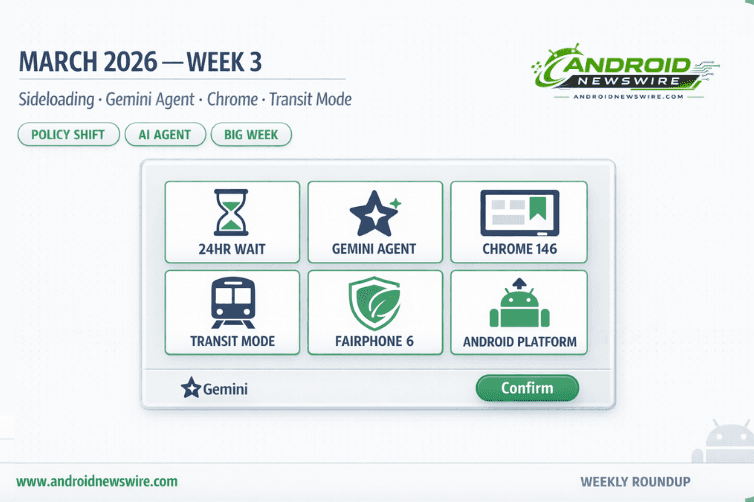
If Week 2 of March 2026 was defined by hardware – the Galaxy S26 landing on shelves, Android 16 QPR3 rolling out – then Week 3 is defined by philosophy. This week, Google answered the most consequential question it has faced about Android’s future: what does openness actually mean on a platform dealing with a 50x malware gap between the Play Store and the open web? The answer came in the form of a detailed new sideloading policy, direct statements from Android’s leadership, and a set of practical changes that will affect how every developer, power user, and privacy advocate interacts with Android going forward. Alongside that big-picture story, Gemini took its biggest step yet toward becoming a true phone agent, Chrome finally caught up to desktop on tablets, and Pixel added one of its most genuinely practical daily-use features in years. Here is everything that mattered this week.
1. Google Reveals the Full Android Sideloading “Advanced Flow” – Including a 24-Hour Mandatory Wait
The headline story of the week is Google finally publishing the complete technical details of how Android power users will continue to install apps from unverified developers once mandatory developer verification takes effect later this year.
The process – officially called the Advanced Flow – has four steps. First, enabling Developer mode via the classic seven-taps on Build number in About Phone. Second, confirming that nobody is coaching you to turn off your security protections (a direct anti-scam manipulation check). Third – the step that generated the most conversation – a mandatory 24-hour waiting period that cannot be shortened or bypassed. Fourth, biometric or PIN confirmation to unlock unverified installs either temporarily for 7 days or indefinitely.
Every step in that sequence is a targeted response to a specific social engineering attack tactic. The 24-hour wait directly breaks the manufactured urgency that makes scam calls effective. The reboot and reauthentication between steps 2 and 3 severs any remote access connection a scammer may be using to watch and coach the victim’s screen. The coaching check puts the question directly to the user before they can proceed.
Critically, the Advanced Flow is a one-time process. Complete it once, choose “indefinitely,” and you never need to do it again. For power users acting from genuine intent, the 24-hour wait is a minor inconvenience. For a scam victim acting under manufactured fear, it is a complete circuit breaker.
For developers distributing outside the Play Store, the verification program is already open – it expanded to all developers in March 2026 with a $25 registration fee and identity documentation requirements. A limited distribution account option – no government ID, no fee, up to 20 users – will be available simultaneously with the Advanced Flow in August. The enforcement deadline for Brazil, Indonesia, Singapore, and Thailand is September 2026, with a global rollout continuing through 2027.
F-Droid and digital rights organizations remain critical of the policy, arguing that it places Google as the identity gatekeeper for all Android app distribution – even outside the Play Store. That structural concern is legitimate and unresolved, even as the anti-scam design of the Advanced Flow itself is genuinely clever.
Full step-by-step breakdown in our dedicated article: Android’s New 24-Hour Sideloading Process – How to Install Unverified Apps in 2026.
2. Android Boss Says the Quiet Part Loud: “Sideloading Is Not Going Away”
The Advanced Flow announcement was accompanied this week by unusually direct language from the top of the Android organization. Sameer Samat, head of Android at Google, said in an interview with Android Authority that sideloading remains something that will continue on Android – it’s not going away.
Samat confirmed a flow will allow more sophisticated users to install software that has not been verified – enabling “experienced users” such as hobbyists to install their own apps, while making it more difficult for casual users to accidentally install malware.
He also acknowledged the problem driving the change without deflection. The warnings currently in place are insufficient, which is why developer verification is coming in to protect users. The current “unknown sources” warning was designed for a different era. It provides almost no real protection against a convincingly branded fake banking app with a social engineering script behind it.
Samat explained: “We would like to be able to tell the user this app is from this source. Now, that doesn’t mean that the app is safe. The user still has to make decisions. But at least you know who it’s from, and you can decide better.”
For the full analysis of what Samat’s statements mean for developers, power users, and the privacy community: Android Boss Confirms Sideloading Is Here to Stay – But With New Safeguards.
3. Gemini Screen Automation Arrives on the Full Pixel 10 Lineup
After rolling out Gemini app control on the Galaxy S26 series, the Pixel 10 lineup is now picking up the feature in the US. The –timing closes a two-week gap where Samsung’s flagship was the only device capable of hands-free app task execution.
Gemini screen automation can help with actions like ordering food, calling a cab, or placing grocery orders without you touching your phone. Once activated, Gemini walks through the task step by step on screen in a virtual window, showing what it is doing, and you can take control at any time. It also asks for final confirmation before completing the action.
The – feature is now available across the entire Pixel 10 lineup – the Pixel 10, Pixel 10 Pro, Pixel 10 Pro XL, and Pixel 10 Pro Fold – running Android 16 QPR3 stable. Supp –orted apps at launch include Lyft, Uber, Uber Eats, Grubhub, DoorDash, and Starbucks. Usage limits depend on your Gemini subscription tier – free users can make around five requests per day, while Gemini Ultra subscribers can go up to 120 requests daily.
Fin –d the feature in Gemini app settings under Screen automation. The rollout is US-only currently, with no confirmed timeline for international expansion.
This is not a convenience feature in isolation – it is the clearest consumer demonstration yet of Android’s transition from an AI-enabled platform to an AI-native one. The phone is no longer just running an AI assistant; it is running an AI agent that operates the phone’s apps directly on your behalf. Full breakdown: Gemini Can Now Handle Phone Tasks on Your Pixel 10.
4. Chrome 146 Brings a Desktop-Style Bookmarks Bar to Android Tablets and Foldables
Google has added a bookmark bar to Chrome for Android foldables and tablets in version 146. The update narrows the feature gap between mobile and desktop browsing on larger-screen devices.
The – mobile version of the bookmarks bar appears below the Omnibox, displaying favicons and site names. A chevron appears to scroll deeper into the list of bookmarks, and a long press on a bookmark displays the entire URL.
To enable, go to Settings → Appearance → Show bookmarks bar. The interface is “Hidden on narrow screens” like phones. The –feature also supports keyboard shortcuts for users with external keyboards – Ctrl + Shift + B toggles the bar on and off. If the Appearance option is not immediately visible after updating, force-stopping Chrome from the App Info menu refreshes the feature rollout.
The update applies to tablets and book-style foldables – standard smartphones retain the previous bookmarks menu. It is off by default, so users need to enable it manually.
The significance here extends beyond the feature itself. A persistent bookmarks bar is a workflow tool, not a touch-first UI element. It is designed for people using their tablet or foldable with a keyboard, working across multiple browser tabs, and treating their device as a laptop replacement rather than a big phone. Combined with Android 16 QPR3’s desktop windowing on Pixel Tablet – which landed last week – Google is steadily assembling the components of a genuine large-screen productivity stack on Android. The ChromeOS convergence story is playing out piece by piece, update by update.
5. Pixel Transit Mode: Your Phone Finally Knows You’re on the Train
As part of the March 2026 Feature Drop, Pixel phones are getting two features to help “manage your commute,” including Transit mode. The second capability is a personalized Transit mode to turn on helpful settings while you’re on the train – as part of the Modes feature, like Do Not Disturb and Driving.
Transit mode lets you control how your Pixel behaves while commuting, whether you are on a train, bus, or in a car. When enabled, the feature can automatically adjust several settings when your phone detects that you are in transit – switching sound mode to vibrate or silent, toggling Bluetooth, and filtering which apps and contacts can send notifications.
Setup requires going to Settings → Modes → Transit, setting home and work locations, and building a commute profile. Google Maps needs time to learn your commute patterns, and it could take two to three weeks for commute info to appear. The feature is rolling out globally to Pixel 7 and newer models, though notably absent from Europe and the UK.
Evidence also points to a Quick Settings tile for Transit mode – useful for one-tap control until (or if) auto-activation based on detected public transport arrives.
Tra Android Open Source Projectnsit mode pairs directly with the At a Glance widget upgrade from the March Pixel Drop – which now surfaces real-time commute delays, departure times, and route alternatives on the lock screen and home screen. Together, they create a genuinely commuter-aware Pixel experience that has no equivalent in stock Android on other OEMs.
6. Pixel Watch Gets Express Pay – Tap to Pay Without Opening Wallet
A quieter but practically useful feature also landed this week from the March Feature Drop on the Pixel Watch side. Express Pay lets you make NFC payments without having to first open the Google Wallet app. You can have this work for “Tap to pay and transit” or just “Transit only.” Just turn and tap your Pixel Watch 2+ to a retail terminal.
The – watch update also lets your Pixel Watch send an alert if you leave your phone behind, and the phone can automatically lock if the connection with your watch is lost – available on Pixel 8 and newer with Pixel Watch 2 and newer. A paired watch and phone can also be used for faster Identity Checks when they are connected.
The – phone-leaving alert is a deceptively useful addition for commuters – the exact scenario Transit mode targets. The automatic phone lock when watch connection is lost adds a meaningful passive security layer for users who might leave their phone somewhere without noticing.
7. Fairphone 6 Ships Android 16 Before Most Major Android OEMs
In what became the week’s most pointed statement about Android update culture, Fairphone began rolling out Android 16 to the Fairphone 6 on March 16 – beating the typical update timeline most Android brands follow. The –sustainable, user-repairable Dutch phone maker shipped a stable Android 16 update before Samsung, OnePlus, Motorola, and the vast majority of the industry’s largest players.
Android 16 blocks certain actions during phone calls to prevent social engineering scams – meaning scammers can’t trick users into enabling sideloading or granting sensitive permissions like Accessibility access while on a call. The –new Force Group Notifications setting and Notification Cooldown feature also land with this update, significantly reducing notification noise from high-volume group chats.
For the complete Android 16 feature breakdown on Fairphone 6: Fairphone 6 Gets Android 16 Early – Ahead of Samsung, OnePlus & Most OEMs.
The Developer Big Picture: What Week 3 Means for Your Apps
Three separate stories this week converge into a single strategic message for Android developers. Understanding them together is more valuable than understanding each in isolation.
Distribution is becoming identity-gated. The Advanced Flow and developer verification are not bureaucratic additions – they are a fundamental shift in how app trust is established on Android. Within 18 months, every app that reaches an Android user through any channel will have a verifiable identity behind it, or will require users to jump through a significant friction process to install. Plan accordingly.
AI agency changes what “app UX” means. Gemini screen automation operating Uber, DoorDash, and Starbucks on behalf of users is not magic – it works because those apps have consistent, predictable navigation flows. As Gemini’s supported app list expands, apps with clean UI state, well-labeled interactive elements, and stable navigation patterns will become more automation-friendly. Apps that are difficult to automate will eventually be at a disadvantage in an AI-agent-first world.
Large-screen is no longer optional. The Chrome 146 bookmarks bar, desktop windowing in QPR3, the Android 17 mandatory adaptive compliance requirement landing in June – the message from Google is consistent and escalating. The adaptive app mandate in API level 37 is not a suggestion. Apps that do not meet large-screen requirements will face Play Store distribution restrictions from June 2026. If your app does not have a tested tablet and foldable experience, the clock is running.
Quick Hits From the Week
Google Play Services v26.09 landed with Wi-Fi Sync across devices (automatically sharing saved networks between paired phones), the Try-Before-You-Buy games feature on the Play Store, and short-form video app previews improving app discovery. These updates ship independently of Android version, reinforcing the platform’s modular delivery strategy.
Android 17 Beta 2 remains the active developer testing target with the platform stability milestone approaching. If you have not yet tested your app against API 37, the Pixel Beta Program is the fastest path. See our complete Android 17 feature guide for the full timeline.
AutoFDO kernel optimization for Android 15, 16, and 17 continues rolling out – if your performance benchmarks are shifting upward on recent builds, this is why. Full AutoFDO breakdown here.
The Week in One Sentence
Android Week 3 of March 2026 was the week Google drew its clearest line yet between openness-as-philosophy and openness-as-naivety – keeping the former while systematically dismantling the latter, one friction step, one identity check, and one 24-hour wait at a time.
Related on Android News Wire:
- Android’s New 24-Hour Sideloading Process: Full Advanced Flow Explained
- Android Boss Confirms: Sideloading Is Here to Stay – But With New Safeguards
- Gemini Screen Automation Now on Pixel 10 – Tasks Done Hands-Free
- Fairphone 6 Gets Android 16 Before Samsung & Most Major OEMs
- Top Android Stories: March 2026 Week 2 Roundup
- Android 17 “Cinnamon Bun”: Every Confirmed Feature & Release Date