
Android 17 Makes Adaptive Layouts Mandatory – No More Opt-Outs for Tablets & Foldables
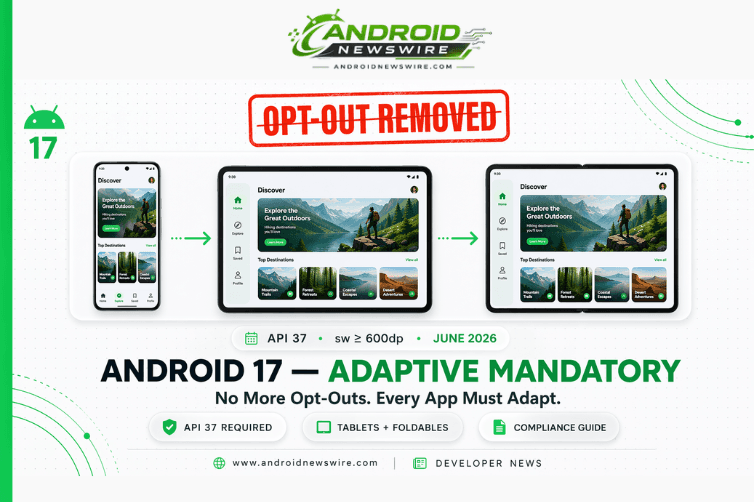
For two Android releases, Google has been on a carefully staged approach toward making adaptive layouts the mandatory baseline for every app running on large-screen Android devices. Android 16 introduced the change and provided a temporary opt-out. Android 17 removes that opt-out entirely. When your app targets API level 37, orientation restrictions, resizability locks, and aspect ratio caps will be ignored on any display with a smallest width greater than 600dp – tablets, foldables, large foldable outer displays, and desktops. You cannot stop it with a manifest attribute. You cannot stop it with a runtime API call. You simply must build an app that adapts. Here is the complete developer guide to what is changing, what will break if you are not prepared, and the concrete steps to get compliant before Android 17 ships in June 2026.
The Policy Change in Plain Terms
For apps targeting Android 17 (API level 37) or higher, orientation, resizability, and aspect ratio restrictions no longer apply on displays whose smallest width is greater than 600dp. Apps fill the entire display window, regardless of aspect ratio or a user’s preferred orientation, and pillarboxing is not used. Android 17 removes the temporary developer opt-out for orientation and resizability restrictions on large-screen devices that was provided in Android 16.
The 600dp threshold is the key number. It maps to: tablets, large-screen foldables in the unfolded state, Chromebooks running Android apps, desktop windowing environments, and the new Android Aluminum OS desktop environment. Phones and flippable outer displays remain below this threshold on their narrow dimension – they are not affected.
With Android apps now running on a variety of devices such as phones, tablets, foldables, desktops, cars, and TVs, and windowing modes on large screens such as split screen and desktop windowing, developers should build Android apps that adapt to any screen and window size, regardless of device orientation. Paradigms like restricting orientation and resizability are too restrictive in today’s multidevice world.
The Two-Release Roadmap That Led Here
Understanding the staged rollout helps developers understand their current exposure.
Android 16 (API 36) – The Warning Shot with an Escape Hatch
Android 16 introduced the behavioral change for apps targeting API 36: on devices with sw ≥ 600dp, the system overrides app-declared orientation, resizability, and aspect ratio restrictions. Apps targeting API 36 that previously appeared letterboxed on tablets fill the display in landscape orientation.
Critically, Android 16 included a developer opt-out. Apps that were not ready could declare a compatibility override in their manifest to suppress the change. This gave developers a release cycle to adapt.
Android 17 (API 37) – The Opt-Out Is Gone
Android 17 (API level 37) removes the developer opt-out for orientation and resizability restrictions on large-screen devices. The escape hatch is completely gone. Apps targeting API 37 must be capable of adapting to a variety of display sizes.
If your app previously used the API 36 opt-out, that opt-out has no effect once you target API 37. The change will not hit your users until you target API 37 – but the Google Play targetting deadline makes that transition mandatory at scale.
The Play Store Targeting Deadlines
The deadlines for targeting a specific API level are app-store specific. For Google Play, new apps and updates will be required to target API level 36 as of August 2026, making this behavior mandatory for distribution then. Targeting API level 37 will be required in August 2027.
The practical implication: if you publish any app update to Google Play after August 2026, you must target at least API 36 – meaning the adaptive behavior is enforced for your large-screen users even if you have not yet moved to API 37. The full opt-out removal for API 37 takes effect with the August 2027 Play Store deadline. But June 2026 stable Android 17 release is when the platform enforces it for devices – your users on tablets and foldables will see the system-enforced adaptive behavior regardless of your Play Store targeting deadline if they are on Android 17 devices and you have targeted API 37.
What Will Break If You Are Not Prepared
Google’s documentation is direct about the categories of problems developers encounter when their apps had previously relied on fixed orientation, locked aspect ratios, or non-resizable window declarations.
Stretched layouts. Apps might have issues like stretched layouts and off-screen animations and components. Any assumptions you make about aspect ratio or orientation can cause visual issues with your app. A layout designed for a narrow portrait phone screen that is forced to fill a 12-inch landscape tablet display will stretch its elements horizontally – UI components that were sized relative to screen width will appear grotesquely wide, text wrapping will break, and action buttons may extend beyond visible bounds.
Camera preview issues. A common problem on landscape foldables or for aspect ratio calculations in scenarios like multi-window, desktop windowing, or connected displays, is when the camera preview appears stretched, rotated, or cropped. This issue often happens on large-screen and foldable devices because apps assume fixed relationships between camera features like aspect ratio and sensor orientation and device features like device orientation and natural orientation. For apps that use the camera – particularly those using the legacy Camera1 API or with custom preview implementations – test every orientation and fold state explicitly.
State loss on configuration changes. Users may rotate their device, fold/unfold it, or resize your app dynamically in split-screen or desktop windowing modes. By default, these configuration changes destroy and recreate your activity. If your app does not properly manage this lifecycle event, users will have a frustrating experience: scroll positions are reset to the top, half-filled forms are wiped clean, and navigation history is lost.
Off-screen buttons and inaccessible UI. Apps with absolute positioning or bottom-anchored controls designed for a specific phone screen height may render those controls off-screen or in the incorrect position when the display dimensions change. Landscape orientation on a tablet has a significantly different aspect ratio than portrait mode on a phone.
Exceptions: What Is Still Exempt
Not all apps are subject to these requirements. Games will be excluded from these changes, based on the android:appCategory flag. If your app is correctly flagged as a game in its manifest, the adaptive enforcement does not apply.
Additionally, users retain control. They can explicitly opt-in to using the app’s default behavior via the system’s aspect ratio settings. The system provides a per-app override that users can toggle to restore letterboxed behavior for a specific app. But this is a user-side mitigation, not a developer opt-out – you should not depend on users configuring this setting as your compliance strategy.
Phone-form-factor displays (sw < 600dp) are also not affected. The changes apply exclusively to the large-screen surface area. Your phone layout behavior is unchanged.
The Four-Part Adaptive Compliance Strategy
Part 1: WindowSizeClass-Based Layout Architecture
Use window size classes to characterize window dimensions, and then apply an appropriate adaptive layout. Build responsive layouts that adjust to changes in display dimensions to always create an optimal app presentation. Assume window sizes will change frequently.
WindowSizeClass provides three buckets – Compact, Medium, and Expanded – that map to phone, tablet/large-foldable-half-open, and tablet/desktop respectively. Building your layout logic around WindowSizeClass rather than hardcoded dimension values is the fundamental architecture shift that enables adaptive compliance. If you have not refactored toward WindowSizeClass yet, that refactor is your highest-priority Android 17 preparation task.
Part 2: Configuration Change State Preservation
To ensure a seamless adaptive experience, it is critical your app preserves state through configuration changes. With Jetpack Compose, you can opt out of recreation and instead allow window size changes to recompose your UI to reflect the new amount of space available.
For Compose, the path is rememberSaveable for user-entered state and ViewModel for business state – ensuring that fold/unfold events, orientation changes, and window resize gestures do not reset user context. For View-based apps, onSaveInstanceState and ViewModel remain the tools, but ensure they are being used comprehensively rather than just for the most obvious state like form fields.
Part 3: Camera and Media Preview Fixes
Apps with camera viewfinders or media playback views need explicit testing across fold states and orientations. Common fixes include using CameraX rather than Camera1 APIs (CameraX handles orientation correction automatically), using resizeMode attributes on TextureView to maintain correct aspect ratio, and testing with the Pixel Fold and Pixel Tablet emulators at all posture states.
Part 4: Testing Infrastructure
To test your app, download Android 17 Beta 1 and update to targetSdkPreview = “CinnamonBun”. Use Android 17 Beta with the Pixel Tablet and Pixel Fold series emulators in Android Studio. You can also use the app compatibility framework by enabling the UNIVERSAL_RESIZABLE_BY_DEFAULT flag if your app does not target API level 36 yet.
Additional tools include Compose UI Check, which can automatically audit your UI and provide suggestions to make your UI more adaptive, and DeviceConfigurationOverride, which can simulate specific display characteristics in your tests. These tools reduce the manual testing burden for multi-form-factor compliance significantly.
The Bigger Picture: Adaptive Everywhere Is Android 17’s Core Mission
Google’s Android 17 I/O 2026 sessions describe an “Adaptive Everywhere” reality where users move fluidly between phones, cars, living rooms, and immersive environments. The sessions promise exploration of Jetpack Compose as the definitive engine for building modern Android UIs across foldables, desktops, cars, TVs, and XR.
The orientation and resizability enforcement is not a standalone policy decision. It is the platform-level enforcement mechanism for a vision where Android apps are expected to work seamlessly wherever the Android platform runs – and Android now runs on everything from a 5-inch phone to a 30-inch Aluminum OS desktop display.
The Android 17 mandatory adaptive changes also serve Google’s Aluminum OS ambitions – the Android-based desktop OS replacing ChromeOS. Aluminum OS needs Android apps to work in landscape, in arbitrary window sizes, and in multi-window environments. The orientation enforcement makes that a guaranteed capability rather than a developer opt-in.
The future of Android is adaptive. As you prepare for Android 17, review the guides for building adaptive layouts and the large screen quality guidelines. Do not wait. Start getting ready for Android 17 today.