
Android 17 Is Live – Every Feature Rolling Out to Pixel Devices Right Now
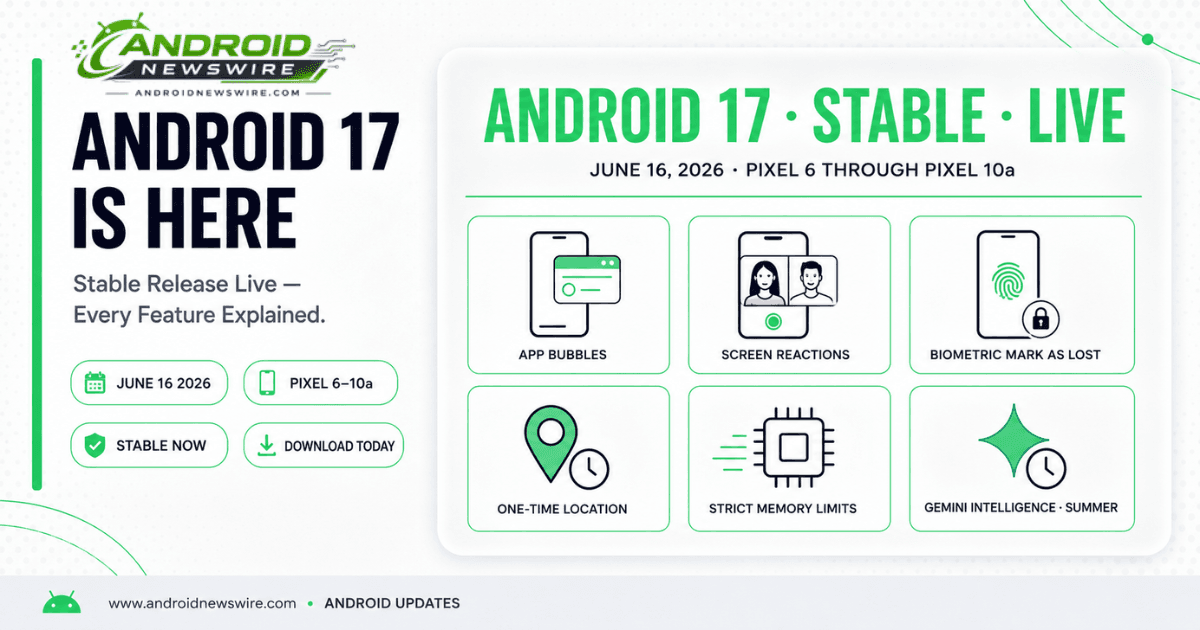
Google began rolling out Android 17 stable on June 16, 2026, to Pixel 6 and later devices – the largest Android platform release since Android 16 brought Material You to its full expression a year ago. The update arrives simultaneously with the June 2026 Pixel Drop, delivering a double update across platform features, Pixel-exclusive AI tools, and creator capabilities. Android 17 source code is also being pushed to the Android Open Source Project.
The release is less a single moment than the opening act of a staged platform campaign. Google has shipped the operating system first while holding back the most ambitious AI feature – Gemini Intelligence – for later this summer on qualifying hardware. That split tells the full Android 17 story more clearly than any individual feature: this is an OS designed around the premise that intelligence will be woven into the platform, shipping the infrastructure now and the intelligence layer when the hardware that can run it is broadly enough deployed.
Here is everything that lands today.
App Bubbles – Any App as a Floating Window
What It Is
App Bubbles is Android 17’s headline multitasking feature – and the one that fundamentally changes how you can use any application. By long-pressing any app icon on the home screen, you can now launch it as a compact floating overlay that remains accessible while you use a completely different app in the full-screen background.
Bubbles can be created for up to five apps simultaneously. Each bubble appears as a small icon that floats over your current content – tappable to expand the app into a compact window, dismissible by dragging to the bottom of the screen. The floating window can be resized, repositioned anywhere on the display, and expanded to full-screen when needed. When you are done, tap outside the bubble to collapse it back to its icon state without losing the app’s context.
Google’s own use cases for the feature – maps while reading a recipe, sports scores during a conversation, a tutorial while following steps in another app – all describe the same underlying pattern: an app that needs to be consulted briefly and repeatedly without displacing what you are doing. Chat heads for messaging apps have existed since Facebook Messenger introduced them years ago, but Bubbles is the first time this interaction model has been built into Android at the platform level and made available to every app rather than a privileged subset.
Bubble Bar on Foldables and Large Screens
On foldable devices and the Pixel Tablet, App Bubbles gains a dedicated Bubble Bar – a persistent strip at the bottom-right corner of the unfolded display that docks active bubbles in an organised row. Rather than floating freely over content, bubbles are anchored to the Bubble Bar on large screens, making the multitasking experience feel more deliberate and less like a floating chaos of overlapping windows.
On Pixel Fold devices, the Bubble Bar transforms App Bubbles from a useful convenience feature into a genuine desktop-class multitasking surface. With five app slots in the Bubble Bar alongside a full-screen primary app, the unfolded Pixel Fold now has a taskbar-driven multitasking model that previously required a third-party launcher to achieve. Combined with Android 17’s Desktop Mode improvements, the foldable experience on Android 17 is meaningfully closer to a laptop workflow than any previous Android release.
How to Enable App Bubbles
Long-press any app icon on the home screen and look for the bubble option in the contextual menu. Not all apps will support the full bubble experience immediately – apps that have implemented multi-window and resizable activity support will work best. Apps that force a fixed orientation or use non-resizable activity flags may show limitations in the bubble context. Run your app in a bubble on a Pixel running Android 17 to verify correct behaviour.
Screen Reactions – The Screen Recorder Gets a Major Upgrade
What It Does
Screen Reactions is Android 17’s most distinctive new feature for creators, tutorial makers, and anyone who has ever wanted to record their reaction to something on their phone without juggling multiple devices, green screen setups, or third-party editing apps.
Screen Reactions lets you record your screen and front-facing camera simultaneously, then composites your selfie video directly onto the screen recording using a real-time green screen effect. Your face appears as a picture-in-picture overlay on the screen recording, with the background removed cleanly – no physical green screen required.
The result is the kind of reaction video format that has dominated content creation on platforms like YouTube for years, now producible entirely within the Android 17 screen recorder with no additional hardware or software. Record a gameplay session with your reactions. Walk through a tutorial while showing your face. Review an app while commenting in real time. The entire workflow – setup, recording, and output – happens in one place.
How to Access It
Screen Reactions is accessed through the screen recorder tile in Quick Settings. After initiating a screen recording, the camera overlay option appears in the recording toolbar – enabling it activates the front camera with background removal applied in real time. The feature is available on all Pixel devices receiving Android 17, from Pixel 6 through Pixel 10 Pro Fold. Camera performance and background removal quality will be best on Pixel 9 and Pixel 10 series hardware, which have the neural processing capability to run the green screen effect with higher fidelity.
Security and Privacy – Three Meaningful Upgrades
Biometric Mark as Lost
Android 17 strengthens Find Hub’s Mark as Lost feature with biometric authentication support. Previously, marking a device as lost from the Find Hub interface would lock it behind a PIN or passcode. Android 17 adds biometric authentication – fingerprint or face unlock – as an additional security layer for the Mark as Lost function.
The practical implication addresses a specific attack scenario: a thief who has obtained your device passcode – through observation, coercion, or other means – can no longer use that passcode to re-access the device or disable tracking after you have marked it as lost. Biometric authentication cannot be replicated from an observed PIN entry.
When Mark as Lost is triggered, Android 17 automatically hides Quick Settings and disables new Wi-Fi and Bluetooth connections – preventing a thief from connecting to a network, disabling Find Hub tracking via Quick Settings, or pairing new devices that might interfere with remote tracking or data wipe.
One-Time Precise Location Permission
The location permission model in Android 17 adds a one-time precise location option – the ability to grant an app your exact GPS coordinates for a single session, with the permission automatically reverting to approximate location after the session ends.
This granularity sits between the existing “Allow once” approximate location permission and the continuous precise location permission. For apps that need precise location to complete a single task – hailing a ride, confirming a delivery address, geotagging a photo – but do not need ongoing precise location access, the one-time precise permission is a privacy improvement that maintains the functionality users need without the persistent access that most use cases do not require.
Strict App Memory Limits
Android 17 enforces stricter memory limits on background applications – a system-level change that directly targets the UI stuttering and frame drops that occur when background apps consume memory that the foreground app needs for smooth rendering.
The change is primarily visible as improved animation smoothness and reduced jank during app switching. Apps that previously consumed memory aggressively in the background will be trimmed more aggressively by the Android memory manager under Android 17’s stricter limits. For most well-behaved apps, this change is invisible. For apps that rely on holding large amounts of data in memory while backgrounded – some games, certain media caching implementations, apps with large in-memory databases – the new limits may require review of background memory management strategy.
Additional Platform Features
Independent Assistant Volume Stream
Android 17 introduces a separate volume control stream specifically for AI assistant responses – Gemini’s voice output through the speaker is now governed by its own volume slider rather than sharing the media or notification volume stream.
The practical benefit: you can now set Gemini’s speaking volume independently of your music volume, notification volume, and ringer volume. If Gemini’s voice has been too loud during quiet listening or too quiet in a noisy environment, the independent stream gives you direct control without affecting any other audio output.
Foldable Gaming Mode
Android 17 includes a foldable gaming mode with a virtual gamepad overlay – providing on-screen game controller buttons for games that support gamepad input on foldable devices. The feature is enabled in Android 17 but will not arrive for users for several more months as Google completes the implementation and developer integration work required to make the virtual gamepad useful across the game library.
June 2026 Pixel Drop – Three AI Additions Exclusive to Pixel
Alongside Android 17 stable, Google released the June 2026 Pixel Drop – a set of Pixel-exclusive features arriving via app updates rather than the OS itself.
Screen Reactions
Screen Reactions is included in both the Android 17 platform update and the Pixel Drop because it ships first on Pixel, with the feature expected to reach non-Pixel Android 17 devices in subsequent updates. The Pixel Drop ensures Screen Reactions is immediately available across the full Pixel lineup on Android 17 day one.
Gemini Omni 2 – AI Video Generation and Editing
Gemini Omni 2 is Google’s AI video generation and editing tool, arriving on Pixel via the June Drop. The feature allows users to generate videos from text prompts, photos, and existing clips through conversational instructions in the Gemini app. It supports AI avatar creation – generating a video avatar that looks and sounds like the user – and voice generation for AI-narrated video content.
An honest note on the Pixel Drop framing: Gemini Omni video generation was already live in the Gemini app for paid Gemini Pro and Ultra subscribers before today. The Pixel Drop extends access to the feature for all Pixel device users through the Gemini app on Android 17. The capability itself is not new – the broader access is.
Music Generation via Lyria 3
Music generation arrives on Pixel through the June Drop, powered by Lyria 3 – Google’s music generation model available through the Gemini app. Users can generate original songs and soundtracks by describing a concept in text or uploading a photo as a creative prompt. Generated tracks are customisable by genre, vocals, lyrics, and tempo through follow-up conversational prompts.
Music generation joins Gemini’s existing image generation capability via Nano Banana – the same model that replaced Pixel Studio when it shut down on June 5. Together with video generation via Gemini Omni 2, Android 17 day one gives Pixel users access to text-to-image, text-to-video, and text-to-music generation through a single Gemini app interface.
What Is NOT in Today’s Update – And When It Arrives
Gemini Intelligence: Later This Summer
Gemini Intelligence – the cross-app task automation, Create My Widget, Rambler voice cleanup, and Personal Intelligence Autofill suite announced at The Android Show on May 12 – is not in today’s Android 17 stable release. Select advanced devices will get Gemini Intelligence later this summer.
The hardware requirements have not changed: Gemini Nano v3 and a minimum of 12GB RAM are required. Qualifying devices remain the Pixel 10 series and Galaxy S26 series. Pixel 9 and below, Galaxy S25 and below, and all other devices do not qualify regardless of running Android 17. The summer rollout on qualifying hardware means Pixel 10 owners should expect Gemini Intelligence to begin appearing through a Gemini app or Play Services update in July or August 2026.
Quick Share × AirDrop Expansion
Quick Share’s AirDrop compatibility has been expanded on the Pixel side today. The feature is now supported on Pixel 8a and 9a globally – expanding beyond the Pixel 9 Pro, 10 series, and flagship Pixels it initially supported. The full bidirectional Quick Share × AirDrop experience – where Android phones appear in the AirDrop device list on nearby iPhones – remains in development for later in 2026.
Magic Cue on More Messaging Apps
Magic Cue – the proactive AI nudge that surfaces contextually relevant suggestions based on conversation content – is expanding to more messaging apps on Pixel 10 and above. The expansion rolls out over the coming weeks rather than on day one. Pixel 10 owners using messaging apps beyond Google Messages will begin seeing Magic Cue suggestions as the rollout progresses.
Which Devices Are Getting Android 17 Today
All supported Pixel devices are receiving Android 17 stable beginning today:
Pixel 10 series: Pixel 10, Pixel 10 Pro, Pixel 10 Pro XL, Pixel 10 Pro Fold
Pixel 9 series: Pixel 9, Pixel 9 Pro, Pixel 9 Pro XL, Pixel 9 Pro Fold, Pixel 9a
Pixel 8 series: Pixel 8, Pixel 8 Pro, Pixel 8a
Pixel 7 series: Pixel 7, Pixel 7 Pro, Pixel 7a, Pixel Fold
Pixel 6 series: Pixel 6, Pixel 6 Pro, Pixel 6a (final major OS update)
Other: Pixel Tablet, Pixel 10a
OEM devices – Samsung, OnePlus, Motorola, Xiaomi, OPPO, Vivo, Honor – follow on their respective update timelines. Samsung Galaxy Z Fold 8 and Z Flip 8 launch with Android 17 and One UI 9 at Unpacked on July 22. Galaxy S26 series receives One UI 9 stable in Q3 2026. Full timeline in our dedicated Android 17 eligibility guide.
How to Get the Update
The Android 17 stable OTA is rolling out progressively – not every Pixel will receive it simultaneously. Check for the update manually: Settings → System → System update. If the update does not appear, the staged rollout has not yet reached your device – it will arrive automatically within the next few days.
For users who want the update immediately, the Android 17 stable factory images and OTA files for all supported Pixel devices are available on the Android developer site for manual flashing. The AOSP source code is also being pushed today for developers who build custom ROMs or need the source for compatibility work.
Developer Impact: What Android 17 Stable Changes Right Now
App Bubbles Compatibility Testing Is Now Mandatory
Your app is now bubbleable by any user on Android 17. Long-press your app icon on a Pixel running Android 17 and test the bubble experience today. Check layout behaviour in the compact windowed context, verify navigation works correctly when the bubble is expanded and collapsed, and confirm your app does not crash or produce broken UI at non-standard window sizes. Apps that force a fixed orientation will restrict the bubble experience – evaluate whether that restriction is still necessary given Android 17’s mandatory adaptive compliance requirements.
FLAG_SECURE and Work Profile External Display Fix
The QPR1 Beta 4 fix for invisible mouse cursors on external displays with FLAG_SECURE or Work Profile active is now in the stable release. If your app uses FLAG_SECURE – as most banking, healthcare, and enterprise apps do – verify that the external display experience is correct on Android 17 stable hardware.
Memory Management Strategy Review
The strict app memory limits in Android 17 will trim background apps more aggressively than previous Android versions. If your app performs background processing, prefetching, or data caching that relies on extended background memory availability, review your WorkManager and background service implementation against Android 17’s memory management behaviour. The stricter limits benefit users through improved foreground performance but require apps to be disciplined about background resource consumption.
One-Time Precise Location Permission Handling
If your app requests precise location permissions, Android 17 users will see a new one-time precise location option in the permission dialog. Your app must correctly handle the case where the user grants one-time precise location – respecting that the permission reverts to approximate location after the session without re-requesting precise access for the same session. Test your location permission flow on Android 17 to ensure correct behaviour across all three permission states: approximate, one-time precise, and ongoing precise.