
Microsoft Outlook Lite for Android Shuts Down May 25 – Here’s What to Do Now
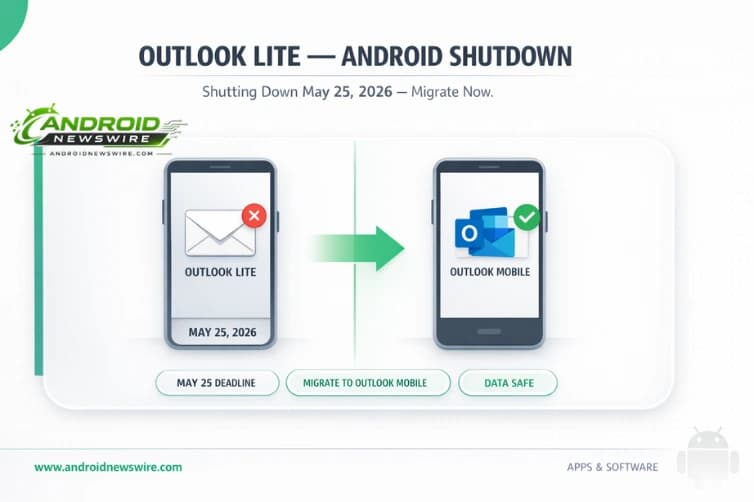
If you are still running Microsoft Outlook Lite on your Android device – the lightweight email app Microsoft built for users on low-end hardware or limited data connections – you have six weeks to act. Microsoft has confirmed that Outlook Lite will be fully retired on May 25, 2026. After that date, the app will still open, but your mailbox will be inaccessible, in-app navigation will stop working, and the core email functionality will be disabled. Your accounts and emails will not be deleted, but you will need to switch to a different app to access them. Here is the complete picture of what is happening, why, and exactly what to do.
What Happens on May 25, 2026
Microsoft has confirmed: “We will complete the retirement of the Microsoft Outlook Lite app on Android on May 25, 2026. Outlook Lite will be retired as part of our broader effort to reduce overlap and focus development and support on Microsoft Outlook Mobile, our primary mobile email experience. After this change, Outlook Lite will no longer provide functional access to mailbox features.”
While you can still launch the app past the cutoff date, you won’t be able to access your mailbox, and navigation will be removed. Your accounts and emails won’t be erased, although you’ll need to download the main Outlook app to access them again.
The distinction between “app still launches” and “app still works” is important here. Microsoft is not force-uninstalling Outlook Lite from devices – it will remain on your home screen and open if tapped. But without mailbox connectivity and navigation, it is effectively an empty shell. Any user who relies on Outlook Lite for daily email access will find themselves locked out of their inbox on the morning of May 25 without any warning at that moment.
Who Is Actually Affected
The affected user population is smaller than this headline might initially suggest. The retirement shouldn’t affect too many users because Microsoft has purposefully prevented users from downloading this app since October 6, 2025.
Outlook Lite was never available on iOS – it was an Android-exclusive app. It was specifically designed for users with low-end smartphones or poor network connectivity, with an approximately 5MB footprint compared to the full Outlook app’s 100MB+ installation size. Its target market was primarily emerging economies where mid-range and budget Android hardware dominates and data plan costs make a lightweight, data-efficient app genuinely valuable.
For users in India, Southeast Asia, parts of Africa, and Latin America who adopted Outlook Lite precisely because the full Outlook app was too large or too data-hungry for their device or connectivity situation, this retirement is a more meaningful disruption than it might appear to users in markets where flagship Android hardware and unlimited data plans are the norm.
Microsoft has confirmed that this change does not require any action on the part of admins, however, it may still be a good idea to let users know that Outlook Lite will be inaccessible soon and guide them on switching to Outlook Mobile from the Google Play Store. Microsoft also suggests updating any affected internal documentation or helpdesk guidance if Outlook Lite is referenced.
Why Microsoft Is Retiring It
Microsoft is ending support for the lightweight version of its email client and asking users to switch to the full-fledged Outlook Mobile app. The company is focusing on providing better compliance, wider mailbox support, and deeper integration with Microsoft 365 services through the more feature-rich Outlook Mobile app.
The decision is part of what XDA-Developers describes as a broader Microsoft app consolidation strategy. Microsoft has been on a bit of a culling spree with its apps lately – reducing the number of parallel products that require separate engineering investment and support infrastructure when a single flagship alternative can serve the combined user base.
For Microsoft, maintaining two separate Android email apps – each requiring its own bug fixes, security patches, API updates, and compatibility testing across Android versions – represents duplicated engineering cost with diminishing justification. As Android hardware and network infrastructure have improved globally, the original premise of Outlook Lite – that a meaningful user population needed a 5MB app because a 100MB app was genuinely impractical – has weakened.
The retirement also carries a security rationale. Enterprise IT administrators managing device fleets with compliance requirements have more consistent enforcement options when all users are on the same app version with the same security capabilities. Outlook Lite’s simplified architecture meant it could not implement the same security controls and compliance certifications as Outlook Mobile.
Your Data Is Safe – But You Need to Act
The most important clarification from Microsoft is about data continuity. This change affects only the app experience, not user accounts or stored data. All emails, contacts, and account data will remain safe and accessible through supported alternatives.
Nothing stored in your Microsoft account – emails, calendar events, contacts, attachments – is being deleted. The retirement is an app-level change, not an account-level change. Your mailbox continues to exist and function exactly as it does today. The only thing changing is that Outlook Lite will no longer be able to connect to it.
What this means practically: you are not losing any data, but you are losing the interface through which you currently access your data. If you do not install an alternative app before May 25, you will still have your email – you just will not have a working way to read it on your phone until you install something new.
How to Migrate: Step by Step
Microsoft has made the migration path as straightforward as possible. There are two routes:
Route 1 – Use the built-in Upgrade option:
There is also an Upgrade option inside the Outlook Lite app which will send you off to the Play Store to get the latest version. Directing users here could be more straightforward. Open Outlook Lite, find the Upgrade option in the app’s menu, tap it, and you will be redirected directly to the Outlook Mobile Play Store listing. Install Outlook Mobile, sign in with your existing Microsoft account, and your email will be available immediately.
Route 2 – Direct Play Store download:
Search “Microsoft Outlook” on the Google Play Store and install the standard Outlook app. Sign in with your existing credentials. All existing email, calendar items, and attachments will remain accessible when users sign in.
For enterprise and IT administrators:
To learn more, head over to the Microsoft 365 Admin Center and check under Message ID MC1276508. The official retirement notice is documented there with IT-specific guidance for managed deployments.
For Users on Low-End Devices: What to Know About Outlook Mobile’s Requirements
The migration path to Outlook Mobile is seamless for data continuity, but the app’s resource requirements are meaningfully higher than Outlook Lite’s. The standard Outlook app offers several advantages over Outlook Lite, including full Microsoft 365 integration, advanced calendar features, better security protocols, and regular updates. However, it requires more device resources – approximately 100MB of storage versus Outlook Lite’s 5MB – and may perform differently on older hardware or slower networks.
For users whose choice of Outlook Lite was driven by genuine device constraints – a 16GB or 32GB internal storage device with limited available space, or a connection where app size and data usage matter – the jump to a 100MB app is not trivial.
For users with particularly limited devices or data plans, Microsoft suggests exploring alternative email clients that maintain lightweight operation. The company hasn’t officially endorsed specific alternatives but acknowledges that some users may need to explore third-party options that better match their technical constraints.
Gmail is Google’s obvious lightweight alternative for Android users already within the Google ecosystem – it handles Exchange/Microsoft 365 accounts via manual setup, though the integration is less seamless than the native Outlook app. Other lightweight email clients on Android include K-9 Mail (now Thunderbird for Android), FairEmail, and Edison Mail – all significantly lighter than Outlook Mobile while supporting Microsoft Exchange accounts through IMAP or Exchange ActiveSync.
The Timeline in Full
- October 6, 2025: Microsoft stopped new downloads of Outlook Lite from the Google Play Store.
- April 2026: Microsoft issues final retirement notice confirming the May 25 date (Message ID MC1276508).
- May 25, 2026: Outlook Lite loses all mailbox access. App still launches but cannot connect to email, and navigation stops functioning.
- Post-May 25: App remains installed but non-functional. No accounts or data affected.
Action Summary
If you have Outlook Lite installed: Open it now, tap the Upgrade option, and install Outlook Mobile from the Play Store. Sign in with your Microsoft account. Done.
If your device does not have enough storage for Outlook Mobile: Free up storage by clearing cached app data, removing unused apps, or moving photos to cloud storage. Alternatively, evaluate lightweight email clients that support Exchange ActiveSync.
If you are an IT administrator: Review your managed device inventory for any remaining Outlook Lite installations, communicate the May 25 deadline to affected users, and update your internal documentation per the MC1276508 guidance in the Microsoft 365 Admin Center.
If you have already switched or never used Outlook Lite: No action required.
Related on Android News Wire: