
Android 2026 Security: AI Threat Detection, Bank Call Shield
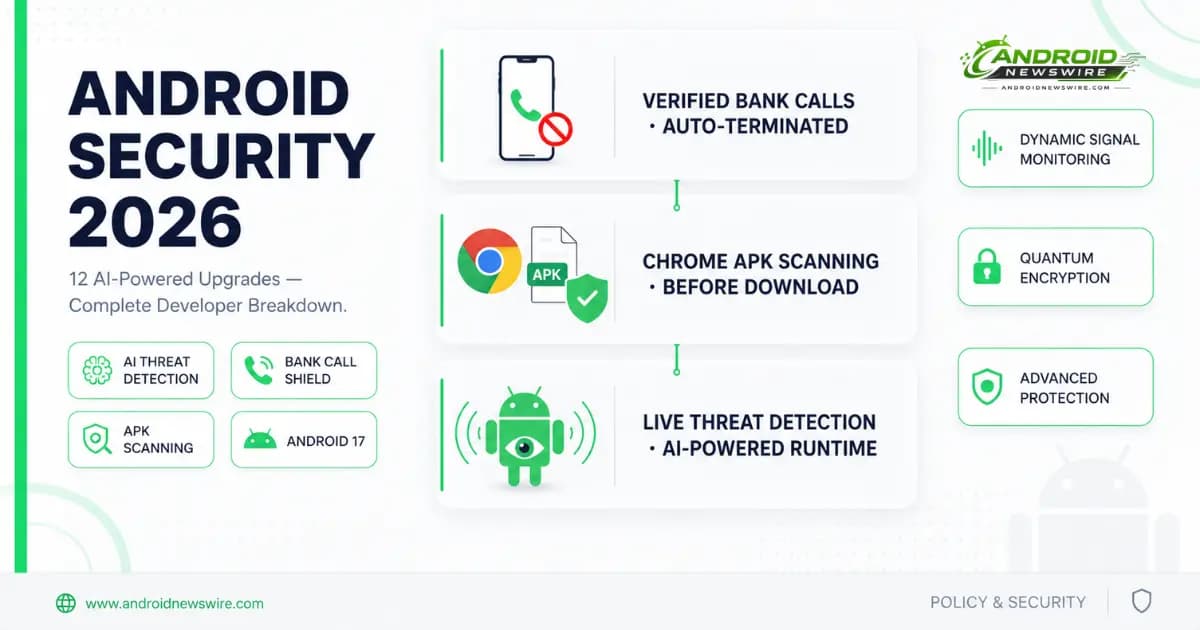
The updates represent a significant leap forward in the journey toward a world of verifiable, transparent trust. By improving protections against banking scams, and extending powerful protections like Live Threat Detection and Android Advanced Protection, Android aims to remain the most secure platform through 2026 and beyond.
That is Google’s framing — from the official Android Security blog post authored by Eugene Liderman, Director of Android Security and Privacy, published ahead of The Android Show. The framing is accurate, but the story for developers is more specific and more consequential than the user-facing narrative suggests.
Android’s 2026 security architecture is moving in a clear direction: from reactive threat response to proactive behavioral surveillance. The new systems do not wait for a user to report a problem or for a threat to appear on a known malware list. They watch app behaviour in real time, push detection rules dynamically from the cloud, scan downloads before they complete, and automatically terminate fraudulent calls before the scammer gets a word in. For developers who build honest, well-behaved applications, this architecture creates a stronger security guarantee around their app’s ecosystem. For developers whose apps engage in any borderline practices — or whose apps share surface area with patterns that bad actors exploit — the new systems deserve urgent attention.
Feature 1: Verified Financial Calls — Android Ends Fake Bank Calls Automatically
Spoofed calls using altered caller IDs result in an estimated $980 million in annual losses worldwide, according to Europol. Android’s verified financial calls system works by checking incoming calls against the official banking apps installed on a user’s phone. When a call arrives that appears to come from the bank, Android queries the installed app to confirm whether a call is actually being placed. If the app confirms no call is being made, the system ends the call automatically.
The implementation is elegant and requires no user awareness to function. The feature works in the background when a participating bank or financial institution’s app is installed and the user has signed in. When a call appears to be from the bank, Android asks the app for confirmation. If the app confirms no phone call is being made, the system ends the call automatically.
Google is rolling this out on Android 11 and later devices with Revolut, Itaú, and Nubank in the coming weeks, before expanding to more banks later this year. The May 2026 Play Services update confirmed this feature is already active: a scam prevention feature automatically ends calls that impersonate supported bank phone numbers.
Developer implications: If you are building a financial services app, a banking application, or any app in a regulated financial category — integrating with Google’s Verified Financial Calls API should be on your 2026 roadmap. Banks that participate expose their users to a stronger protection layer and simultaneously establish their app as the authoritative source of truth for call authentication. The first mover advantage here is real: banks listed in the system before competitors benefit from the protective halo of the feature at launch.
For non-financial developers: this feature demonstrates Google’s willingness to deploy system-level behavioural interventions that automatically terminate external actions — calls, in this case — when they conflict with authenticated app state. The architecture is applicable beyond banking. Watch for this pattern to expand to other categories where impersonation fraud is significant.
Feature 2: Live Threat Detection Expands to SMS Forwarding and Accessibility Abuse
Live Threat Detection is a real-time security feature that uses on-device AI to analyze app behaviour and alert users if an app starts acting suspiciously. Google is enhancing this protection to find and protect against more apps looking to scam users.
Live Threat Detection gains new warnings for suspicious behaviours including SMS forwarding and accessibility overlay abuse. The system can now warn users about apps that secretly forward SMS messages or try to hide their icon and then launch from the background while abusing accessibility permissions.
The expansion to SMS forwarding is directly connected to the SMS OTP three-hour delay introduced in Android 17. Both protections target the same attack vector: apps that harvest OTP codes from SMS to bypass two-factor authentication. The three-hour delay blocks programmatic OTP access at the API level; Live Threat Detection catches apps that attempt to forward raw SMS messages as an alternative interception path.
The accessibility overlay abuse detection closes a long-standing gap. Accessibility services have been among the most powerful — and most abused — APIs in Android’s permission model. Banking trojans, stalkerware, and clickjacking malware routinely request Accessibility access for functions that have no legitimate accessibility purpose. Live Threat Detection’s new monitoring layer can now identify the behavioural signature of overlay abuse — an app drawing transparent windows over other apps to intercept input — and warn the user in real time.
Developer implications: Any app that legitimately uses accessibility services should audit its implementation against the new detection heuristics. The detection is behavioural, not permission-based — having Accessibility permission granted does not exempt an app from warning if its usage patterns match overlay abuse signatures. Legitimate accessibility tool developers should document clearly in their app’s description and privacy policy exactly what Accessibility access is used for, how it is used, and what it does not do. Users who receive a Live Threat Detection warning about an accessibility app they installed intentionally need to be able to distinguish a false positive from a genuine threat.
Feature 3: Dynamic Signal Monitoring — Cloud-Pushed Detection Rules in Real Time
A new capability called dynamic signal monitoring watches application-system interactions in real time and can push down updated detection rules from the cloud to address new threats as they emerge. It arrives on Android 17 devices, with protections shipping in the second half of 2026.
This is the most architecturally significant of the new security features from a platform design perspective. Previous threat detection systems — including Play Protect’s existing malware scanning — operated against static signature databases that required periodic updates. Dynamic signal monitoring inverts this model: the detection rules themselves are dynamic, pushed from Google’s threat intelligence infrastructure to devices without requiring a system update.
The system allows Android to warn users about apps that change or hide their icon and then launch from the background, or abuse accessibility permissions. Dynamic signal monitoring will be enabled on Android 17 devices, with protections rolling out in the second half of the year.
The practical consequence for the threat landscape is that the window between a new malware technique being observed in the wild and Android devices being protected against it shrinks dramatically. Previously, that window was measured in update cycles — weeks or months. With dynamic signal monitoring, Google can push detection rules within hours of identifying a new threat pattern.
Developer implications: The dynamic nature of the detection rules means that an app which passes all checks today could trigger a warning tomorrow if a new detection rule is pushed that matches a behaviour pattern the app exhibits. This is not a theoretical risk — it is the intended design. Apps that engage in any form of icon hiding, background launch behaviours, or aggressive background persistence are at meaningfully higher risk of false-positive warnings as the rule set evolves.
The implication for developers building apps with unusual system interaction patterns — particularly in categories like device management, parental controls, accessibility, or remote desktop — is to maintain clear documentation of the exact system calls your app makes and the legitimate purposes behind each one. If Google’s threat intelligence team reaches out about a detection conflict, having that documentation ready is the difference between a quick resolution and an extended Play Store review process.
Feature 4: Chrome APK Scanning — Malware Detection Before Download Completes
If Safe Browsing is enabled and a user wants to download an app, Chrome will evaluate the APK file for known malware and block the download if necessary.
Chrome on Android adds another download-time check. With Safe Browsing enabled, the browser will evaluate APK files for known malware and block downloads of harmful packages.
This is the most direct new pressure on sideloaded app distribution in the entire 2026 security roadmap. Until now, the chain of protection for sideloaded apps has been: Play Protect scans after installation, or the Advanced Flow adds friction before installation. Chrome APK scanning moves that protection to the download layer — before the file even reaches the device’s storage.
A user attempting to download a malicious APK from a website will now see Chrome evaluate the file against Safe Browsing’s threat database and block the download if it matches a known threat. This does not affect ADB-side loading, it does not affect files already on the device, and it does not affect APKs downloaded through alternative methods. But it does intercept the most common vector for malicious sideloaded app distribution: web-based APK download links.
Developer implications: For developers distributing legitimate apps via direct download from a website — a common pattern for beta distribution, enterprise tools, hardware companion apps, and apps that are not eligible for Play Store distribution — Safe Browsing’s APK evaluation is now part of your distribution chain. Ensure your APK is signed with a consistent, registered signing key, that the app’s package name and metadata do not match any known threat signatures, and that your distribution domain has a clean Safe Browsing reputation. Google’s Safe Browsing site report tool at safebrowsing.google.com allows domain owners to check and dispute false-positive classifications.
For developers who have received competitor takedown requests or have had their distribution domain flagged incorrectly in the past: review your Safe Browsing domain status now, before users start encountering download blocks.
Feature 5: Advanced Protection Enhancements
Advanced Protection, which enables Google’s strongest protections against scams, fraud, and malicious apps, picks up several additions in 2026.
Users get an improved experience for Advanced Protection features.
Advanced Protection — Android’s one-toggle maximum security mode, introduced in 2025 — now covers a broader set of threat scenarios. The specific additions include stronger restrictions on the app installation sources available in Advanced Protection mode, tighter controls on which accessibility services can run while protection is enabled, and mandatory verification for certain system configuration changes.
For journalists, activists, executives, and anyone who has enabled Advanced Protection due to an elevated personal threat profile: the 2026 additions meaningfully expand the practical value of the mode beyond its original scope. The intersection with developer verification — Advanced Protection mode becoming even more restrictive about unverified app sources — is consistent with the trajectory we covered in our detailed Android Developer Verifier analysis.
Feature 6: Quantum-Resistant Encryption — Future-Proofing Against Emerging Threats
Android 17 introduces quantum-resistant encryption to future-proof against emerging cyber threats. Modern digital security is at a turning point — quantum computers capable of breaking current encryption standards are approaching viability, and Android’s 2026 encryption architecture is designed to remain secure against that threat.
Quantum-resistant cryptography — also known as post-quantum cryptography — uses mathematical problems that are believed to be hard for quantum computers to solve, unlike the RSA and elliptic curve algorithms that underpin most current TLS and public-key cryptography. The National Institute of Standards and Technology (NIST) finalised its post-quantum cryptography standards in 2024, and Android 17’s implementation aligns with those standards.
Developer implications: For most app developers, quantum-resistant encryption in Android 17 is infrastructure-level work that operates below the application layer. Apps using TLS for network communication benefit automatically as Android’s TLS stack is updated to support post-quantum cipher suites. Apps using Android Keystore for key generation and storage benefit as the Keystore generates post-quantum-resistant keys. Apps that implement custom cryptography using third-party libraries — rather than the platform’s cryptography APIs — need to evaluate whether those libraries have been updated to include post-quantum-resistant algorithms.
Feature 7: Privacy Controls — Temporary Location and Enhanced Contact Access
Android 17 adds granular privacy controls including temporary precise location sharing and improved contact access controls. A redesigned contact picker lets developers request access to individual contacts, and users can now share temporary precise location — sharing exact location for a limited time before the system reverts to approximate location automatically.
Both of these changes are direct API-level additions that we covered in detail in our Android 17 API deep dive. The Contacts Picker replacing broad READ_CONTACTS permission access, and temporary precise location sharing becoming a distinct permission option, are now confirmed as security-framed additions rather than purely privacy-framed ones.
The security framing matters for developer prioritisation. When Google describes these changes under the security umbrella — not just the privacy umbrella — it signals that enforcement and compliance expectations are higher than for pure UX preference features. Apps that continue requesting broad READ_CONTACTS access after the Contacts Picker is available on Android 17 will face increasingly aggressive Play Store policy scrutiny as the security team treats broad contact access as a threat surface, not just a privacy preference.
Feature 8: Spyware Forensics — A New Tool for Security Researchers
Google is launching a new opt-in feature that will help cyber threat analysts investigate spyware attacks. The feature provides forensic access to system telemetry that can help identify the presence and behaviour of sophisticated spyware on a device.
This feature has no direct developer impact for most application teams. For security researchers, it is a significant addition — particularly given the documented prevalence of commercial spyware targeting journalists, activists, and government officials on Android devices. The opt-in nature preserves user privacy while enabling meaningful forensic capability for the security community.
The Developer Pressure Map: What This All Means for Your App
Taken together, Android’s 2026 security architecture creates a multi-layer detection and prevention system that operates at every stage of the app lifecycle:
Download time: Chrome APK scanning with Safe Browsing blocks known-malicious downloads before they reach the device.
Installation time: Developer verification requirements gate installation of unverified apps behind the Advanced Flow. Play Protect scans APKs before installation completes.
Runtime: Live Threat Detection and Dynamic Signal Monitoring watch app behaviour continuously after installation, with rules that update in real time from Google’s threat intelligence infrastructure.
System interactions: Verified Financial Calls validates that app-authenticated services are not being impersonated. SMS OTP protection prevents programmatic interception of authentication codes.
For well-behaved, legitimately distributed applications, this architecture is entirely non-threatening. Every layer of the system is designed to identify specific, harmful behavioural patterns — not to create additional compliance burden for honest developers.
For apps that operate in grey areas — apps that request broad permissions beyond their stated function, apps distributed through channels designed to obscure their origin, apps that use accessibility services for purposes unrelated to accessibility, apps that persist in the background without clear user benefit — every one of these systems increases the probability of a warning, a block, or a Play Store action.
Google Play Protect has transformed from a simple app scanner into a real-time threat detection system. It scans apps in real time, even those installed from outside the Play Store, uses on-device AI to detect behavioural anomalies, cross-references app behaviour against a live threat intelligence network spanning billions of devices, can quarantine suspicious apps automatically without waiting for user action, and provides Live Threat Detection that specifically monitors for stalkerware and spyware behaviours. True-tech
The message to the developer community is clear: the security system is watching, it is getting smarter, and it can update its understanding of what constitutes a threat faster than any developer can adapt to evade detection. Building applications with transparent, justified behaviour is not just good ethics — it is now the only viable long-term strategy for distribution on the Android platform.
The Timeline: When Each Feature Arrives
| Feature | Platform | Timeline |
| Verified Financial Calls | Android 11+ | Rolling out now (Revolut, Itaú, Nubank first) |
| Chrome APK Scanning | Chrome on Android | Rolling out now with Safe Browsing |
| Live Threat Detection (SMS, Accessibility) | Android 6+ | Available now, expanding |
| Dynamic Signal Monitoring | Android 17 | Second half of 2026 |
| Quantum-Resistant Encryption | Android 17 | June 2026 stable |
| Temporary Precise Location | Android 17 | June 2026 stable |
| Contacts Picker (Security) | Android 17 | June 2026 stable |
| Advanced Protection Enhancements | Android 11+ | Rolling out now |
| Spyware Forensics Tool | Opt-in | Later 2026 |