
June 2026 Android System Updates: The Complete Changelog Across All Three Play Services Releases
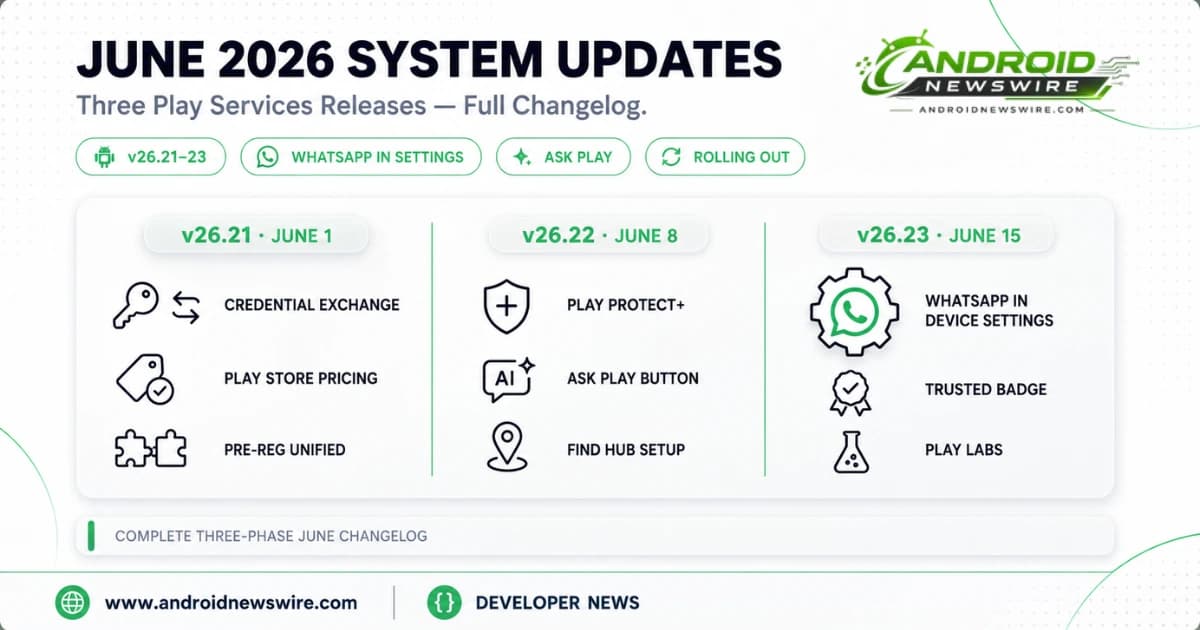
Google shipped three separate Play Services updates across June 2026 — v26.21 on June 1, v26.22 on June 8, and v26.23 on June 15 — making this one of the more active monthly system update cycles of the year. Across the three drops, the June changelog carries a headline user-facing change that landed quietly amid the noise of Android 17 stable launching the following day: WhatsApp backups are now manageable directly from Android device settings.
This is the complete breakdown of every change across all three releases, organised by phase and platform.
How June’s Three-Phase Rollout Worked
The Three-Release Structure
Rather than a single monolithic June update, this month’s system changes arrived across three Play Services versions over a two-week window. Each release carried distinct additions, with the final v26.23 drop on June 15 containing the WhatsApp backup settings integration that became the month’s headline feature.
Understanding which version carries which feature matters for users troubleshooting whether a specific addition has reached their device. The three builds and their primary additions:
Play Services v26.21 — June 1: Credential Exchange standard for password portability, Play Store pricing clarity, pre-registration and auto-install unified flow, Play Store challenge banners, Play Collections browsing, refreshed purchase dialogs.
Play Services v26.22 — June 8: Additional Play Protect security verifications for unverified apps, Ask Play button in Play Store search bar, Ask Play Highlights streaming improvements, Find Hub setup integration, Quick Share contact card previews.
Play Services v26.23 — June 15: WhatsApp backup management in device settings, Trusted Contributor review badge programme, Play Labs feature testing opt-in, parental controls PIN for Play content restrictions.
Phase 1 — Play Services v26.21 (June 1)
Credential Exchange — Password Portability Arrives
The Credential Exchange standard landed in v26.21, allowing passwords and passkeys stored in Google Password Manager to be imported and exported to and from third-party password managers. This is an open industry protocol, not a proprietary Google API — meaning it works bidirectionally with 1Password, Bitwarden, Dashlane, and any other manager that has adopted the standard.
For users who have felt locked into Google Password Manager due to the historical friction of migrating away, this removes the barrier entirely. For users managing credentials in a third-party manager who want to consolidate into Google Password Manager, the import path now exists. Passkeys — not just passwords — are included in the migration, which is the detail that makes this genuinely complete rather than a partial solution.
Access the feature through Google Password Manager at passwords.google.com → Settings → Export or within the manager’s mobile interface.
Play Store Pricing Clarity
Sales prices and discount details, including offer end dates and terms, are now more clearly visible across the Play Store. When a developer marks an app or in-app purchase as discounted, the discount end date surfaces prominently. Purchase and install dialogs receive a refreshed visual design across phone, Auto, and TV form factors.
Pre-registration and auto-install merge into a single unified flow. Previously two separate interactions, the update allows users to pre-register for an upcoming app and configure automatic installation when it launches in one step. Monthly challenge notifications and Loyalty MAX challenge alerts now surface as Play Store pop-up banners.
Installed app listing pages now show app content — game updates, new levels, seasonal events — directly on the listing page for apps the user has already installed. Play Collections browsing allows users to find similar apps from within a listing rather than returning to the main search flow.
Phase 2 — Play Services v26.22 (June 8)
Additional Play Protect Security Verifications for Unverified Apps
Play Protect received enhanced security verification checks for unverified apps in v26.22, applying across Auto, PC, Phone, and TV form factors. When a user installs an app from outside the Play Store, the updated Play Protect runs additional security checks beyond the existing APK signature verification — providing an extra layer of protection specifically against the class of threats that motivated Google’s developer verification requirements and the Advanced Flow sideloading process.
This update adds automated protection at the installation layer without requiring user action. It is particularly relevant in enterprise environments where employees may install apps outside MDM-approved channels on personal devices used for work — the enhanced checks add a system-level defence below the policy layer.
Ask Play AI Search Button Arrives in Play Store
The Ask Play conversational AI search interface gained a dedicated entry point in v26.22 — a new Ask Play button in the Play Store’s search suggest bar that opens a full-screen conversational search experience for natural language app discovery queries. Alongside the button addition, Ask Play Highlights on search results gained faster real-time streaming responses and more flexible response formats.
Ask Play was first announced at Google I/O 2026 as a way for users to describe what they are looking for in natural language — “an app that tracks my water intake and syncs with my watch” — and receive curated recommendations rather than keyword results. The v26.22 update is the broad rollout of the entry point that makes this feature discoverable without knowing the feature’s name.
For developers, Ask Play is a new discoverability surface that rewards clear, well-structured app descriptions and accurate metadata. Conversational AI recommendation surfaces interpret intent differently from keyword search — an app that thoroughly describes its purpose, unique capabilities, and target use case in natural language in its Play Store listing is better positioned for Ask Play recommendations than an app optimised purely for keyword density.
Find Hub Setup Integration
Find Hub — Google’s device-tracking and remote management platform — is now configured during initial phone setup rather than requiring a separate post-setup step. The integration reduces friction for new device setup: users who complete the standard device setup flow will have Find Hub properly configured without needing to independently navigate to Settings → Security → Find Hub after first boot.
The change is particularly meaningful for enterprise IT administrators and device management teams who deploy Android devices at scale. A device that exits setup with Find Hub properly configured reduces post-deployment remediation for the common scenario of devices that missed Find Hub setup and cannot be remotely located or wiped when needed.
Quick Share Contact Card Preview
When receiving a contact card via Quick Share, the full contact card information now displays inline at the point of receipt — rather than presenting only a file download prompt that required opening and importing blind. The update allows recipients to see the contact’s name, number, email, and other details before deciding to save the contact to their address book.
Phase 3 — Play Services v26.23 (June 15)
WhatsApp Backup in Device Settings — The Headline Feature
The most significant user-facing change in June’s system updates is the one that arrived last: WhatsApp backups can now be managed directly from Android device settings for the first time.
This is a meaningful architectural shift, not a minor UX change. Previously, WhatsApp backup controls existed entirely within the WhatsApp app — visible in WhatsApp → Settings → Chats → Chat Backup, but invisible to Android’s own settings menu. You could not see WhatsApp backup status, storage consumption, backup scheduling, or backup health alongside any of your other app data without opening WhatsApp directly.
The v26.23 integration brings WhatsApp backup management into the Android settings ecosystem. Users can now view, manage, and control their WhatsApp backup behavior from the same settings location as other system backup controls. For Android’s approximately two billion WhatsApp users, this closes a gap that has existed since Google Drive became WhatsApp’s backup destination years ago. The unified location eliminates the common support scenario where users discover, only when switching phones, that their WhatsApp backup was configured differently from what they expected.
The broader significance is strategic. Moving WhatsApp backup control into the OS settings layer means Android can treat WhatsApp backups as first-class data alongside contacts, photos, and app data — giving users a single, consistent place to understand and manage their cloud storage footprint. It also fits into Google’s multi-year push to consolidate account and privacy controls into a unified settings hub.
Trusted Contributor Review Badge
Play Store reviews can now earn a Trusted badge through Google’s new Trusted Contributor programme. Users who are eligible for the programme and opt in will see a Trusted badge displayed alongside their Play Store reviews, signalling to other users that the reviewer has a verified history of genuine, helpful reviews.
The programme is Google’s response to the long-standing Play Store review quality problem — astroturfed reviews, incentivised five-star ratings, and coordinated one-star attacks all undermine the reliability of ratings as a purchase signal. A Trusted badge on a review does not guarantee the content is accurate, but it establishes that the account behind it is a genuine user with a review history rather than a newly created account depositing a single rating.
For developers, the Trusted Contributor programme changes the weighting of review sentiment in a useful direction. A five-star Trusted review carries more signal than an anonymous one. A one-star Trusted review is more credible criticism than a fresh account attack. Monitoring the distribution of Trusted versus unverified ratings in your app’s review section gives a more accurate read on genuine user sentiment than total rating average alone.
Play Labs Feature Testing
A new Play Labs section in the Play Store allows users to opt in to testing new Play Store features before they reach general availability and submit feedback directly to Google’s Play Store team. Play Labs is Google’s equivalent of the beta testing programme that exists for individual apps, applied to the Play Store itself.
For Android enthusiasts who want earlier access to Play Store UI experiments and new discovery features — and who want their feedback to influence the direction of those features — Play Labs is worth enabling. Access it through the Play Store settings menu.
Parental Controls PIN for Play Content Restrictions
Parents can now manage content restrictions on Google Play using their Android Parental Controls PIN rather than a separate Play Store password. The unification of these two PIN systems — previously separate credentials — reduces the friction of parental controls enforcement and eliminates the common scenario where a child’s device had Play content restrictions configured but the parent had forgotten the separate Play Store password required to change them.
Additional Changes Across June Releases
Beyond the primary features above, June’s three Play Services releases include several smaller additions worth noting.
Local File Backup to Drive: Downloaded documents now automatically save to Google Drive, ensuring files retrieved from email attachments, browser downloads, and document apps are backed up and accessible from any device without manual intervention.
Google Home Improved Setup: The Google Home app received dynamic, device-specific visual instructions for device preparation and factory resets — replacing the generic setup flow with instructions that adapt to the specific Nest or Google Home device being configured.
ID Pass Expansion: The Google Wallet ID Pass feature now supports more passport types from additional countries. Google has not published the complete expanded list, but the changelog confirms broader international document support for the digital ID use cases that Google Wallet’s ID Pass enables.
Virtual Card Transaction History: Users can now view transactions from other devices and online purchases made using virtual card numbers in Google Wallet’s transaction history — closing the gap between virtual card usage visibility and physical card transaction records.
Real-Time Game Achievement Updates: The Play Store now shows real-time updates for unlocked game achievements on game listing pages, making the Play Store a more dynamic reflection of active game progression rather than a static snapshot of overall achievement counts.
Wear OS Backup Settings: Text and icons in backup settings on Wear OS devices have been adjusted for improved clarity and visual consistency with Android 17’s Material 3 Expressive design language.
Google Contacts Sync Settings: An improved experience for viewing and updating the Google Contacts sync setting arrives alongside the WhatsApp backup integration — consistent with Google’s broader push to make account-level data controls more accessible and clearly presented.
How to Apply June’s System Updates
The three June Play Services releases roll out progressively. Appearing in the changelog does not guarantee same-day availability. To check your current Play Services version and trigger an update: Settings → Apps → Google Play Services → App info → Version number.
To check specifically for the v26.23 WhatsApp backup management feature: after confirming Play Services is on v26.23 or later, navigate to Settings → [your name] → All services and look for a WhatsApp or Backup section that surfaces WhatsApp backup controls alongside system backup settings.
To manually check for Play System updates: Settings → Security and privacy → System and updates → Google Play system update → Check for update.
June’s three-phase rollout is complete as of June 15. Any device that has not yet received all three releases will receive them through the standard staged rollout within the following days.
Related on Android News Wire:
- May 2026 Google System Updates: AppFunctions in Play Services
- Android 17 Is Live: Every New Feature on Pixel Right Now
- June 2026 Security Patch: Critical CVE Under Active Exploitation
- Gemini Intelligence: Android Becomes an Intelligence System
- Android Security 2026: AI Threat Detection and Bank Call Shield
Tags: June 2026 Android System Updates, Play Services v26.23, WhatsApp Backu