
Top Android Stories: May 2026 Week 3 – The Android Show, Gemini Intelligence, Googlebook & More
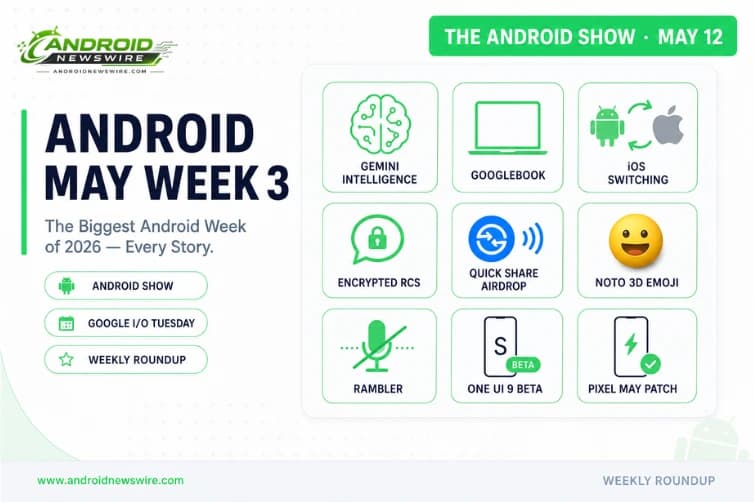
Welcome to your Sunday Android briefing for May Week 3 – May 11 through 16, 2026. This was the week the Android ecosystem held its breath. The Android Show: I/O Edition aired on May 12 – Google’s pre-Google I/O developer showcase – and delivered the most consequential single day of Android announcements in years. Gemini Intelligence redefines what the OS does on your behalf. Googlebook announces Google’s return to laptops with a new platform built on Android and ChromeOS DNA. Android 17 previews 3D emoji, Screen Reactions, and Rambler. Google and Apple formally partnered on iOS-to-Android data transfer. Encrypted RCS crossed the platform wall for the first time. Quick Share gained AirDrop interoperability. The May security patch landed for Pixel. ‘s One UI 9 beta kicked off. And three major developer APIs shipped quietly alongside the show. Here is every story from the week that mattered – the most important Android week of 2026 so far.
The Week’s Context: The Android Show Was Monday. Google I/O Is This Tuesday.
Before the stories: a timing note. The Android Show: I/O Edition aired Monday, May 12 – a dedicated pre-conference broadcast focused entirely on Android platform announcements. The Android Show 2026 originally began its broadcast at 10am PT on May 12, 2026.
Google I/O – the main developer conference – opens this Tuesday, May 19, at Shoreline Amphitheatre in Mountain View. The Android Show covered platform and software direction. I/O will go deeper on developer APIs, the Gemini platform, hardware announcements, and the roadmap through the rest of 2026. Everything announced at the Android Show this week is the setup for what I/O will detail. Consider this week’s roundup your essential primer before Tuesday’s keynote.
1. Gemini Intelligence: Android’s AI Layer Goes Proactive
The headline announcement of The Android Show – and arguably of 2026’s Android story so far – is Gemini Intelligence. Gemini Intelligence will start with Galaxy and Google Pixel phones later this summer. The idea is that the AI can be more proactive and operate behind the scenes. One of the main purposes is that it can automate more tedious actions – things like creating widgets or even more multi-step actions like calling a rideshare, or finding a concert for you in a specific section.
Gemini Intelligence is expected to work across Wear OS, Android XR, Android Auto, and, of course, Android – effectively creating a unified AI layer across all Google-connected devices.
Practically, Gemini Intelligence is the formalization of what Google has been building toward across multiple Pixel Drops: an AI that does not wait to be asked, but anticipates, automates, and executes. A particularly impressive capability: when users need to enter passport numbers or loyalty rewards numbers into non-mobile-optimised forms, Gemini can securely retrieve the information from the password manager and fill it out automatically.
The updated user interface will let users know when the AI is working – an important transparency choice that distinguishes Gemini Intelligence’s ambient automation from the black-box approach that makes some AI implementations feel untrustworthy.
Gemini Intelligence arrives on Galaxy and Pixel devices this summer – before Android 17 stable in June is the implied timing. The most exciting features will first appear on the latest Galaxy and Google Pixel phones.
2. Googlebook: Google Is Making Laptops Again – And This Time It Is Different
The biggest surprise of The Android Show was the Googlebook. Yes, Google is trying laptops again, and this is taking the best of Android and ChromeOS into a new platform, introducing a new take on a cursor, with Gemini Intelligence very much at the heart of it.
Googlebook is Google’s response to a question the industry has been asking for a decade: what happens when Android and ChromeOS fully converge? The answer is a new platform – not ChromeOS with Android app support, not Android with a keyboard – but a ground-up design that takes the best architectural elements of both and builds a Gemini-first laptop experience around them.
Google confirmed partnerships with Acer, ASUS, Dell, HP, and Lenovo for upcoming Googlebook devices. These laptops will feature native Android app support, Gemini-powered productivity features, contextual interactions, and synchronisation with Android smartphones as part of a broader AI-first computing ecosystem.
A 16-minute video revealed some of the features found in this platform including its Android roots, some familiar ChromeOS features, and desktop-style features like folders on the desktop and terminal.
For Android developers: Googlebook represents a new deployment target for your apps – a laptop-form-factor, large-screen, keyboard-and-trackpad environment that runs Android apps natively. The adaptive layout requirements that Android 17 mandates for tablets and foldables extend naturally to Googlebook. Apps that are already adaptive-compliant are Googlebook-ready. Apps that are not will need to address this urgently as Googlebook availability expands.
3. Android 17’s Best New Features – Revealed at the Android Show
The most exciting update for many will be the introduction of 3D emoji. Google is calling this collection Noto 3D. Pixel phones will be the first to gain access to these emoji later this year. Google says they will be available across its products.
3D emoji – genuinely dimensional, depth-shaded characters that move beyond the flat glyphs that emoji has been since their introduction – are one of the most visually striking Android 17 additions. Noto 3D replaces the current Noto emoji set with animated, three-dimensional versions that work across Google’s product suite.
A new Gemini Intelligence-powered speech-to-text feature called Rambler will aim to remove filler words and clarify speech. “You can speak naturally and it will take the important parts, then fit them all together into a concise message,” Google says. Rambler will even account for switching between languages mid-sentence.
Rambler is the most immediately practical Android 17 feature for everyday communication. Voice messages, dictated emails, and speech-to-text in messaging apps all suffer from the same problem: real speech includes “um,” “like,” “you know,” pauses, and restarts. Rambler processes the audio, identifies the semantic content, and produces a clean, coherent text output – while also handling code-switching between languages, which is how a significant proportion of the world’s multilingual users actually speak.
Additional Android 17 features confirmed at the Android Show include Screen Reactions – animated effects that play over screen content in response to interactions – creator-focused additions including better Instagram uploads and Adobe Premiere support for mobile video editing, and enhanced Google Photos AI editing tools.
Security: Dynamic signal monitoring will be on the lookout for apps that engage in suspicious activity like changing or hiding their icon and then launching from the background or abusing accessibility permissions. This expands Android’s live threat detection from passive scanning to active behavioural monitoring – catching the specific deception techniques that malware uses to avoid detection after initial installation.
4. Apple and Google Partnership: iOS to Android Just Got Much Easier
Google says it teamed up with Apple to make the process of switching from iOS to Android easier by wirelessly transferring data including passwords, photos, messages, apps, contacts, and even your eSIM. Pixel and Galaxy devices will be the first to support this option, starting later this year.
A formal Google-Apple partnership for iOS-to-Android migration is one of the most significant cross-platform announcements in recent Android history. The pain point of switching – manually moving years of accumulated photos, message history, app data, and now eSIM credentials between platforms – has historically been one of the strongest lock-in mechanisms keeping users from switching. A wireless, comprehensive data transfer removes the largest practical barrier to platform switching in both directions.
The eSIM transfer inclusion is particularly notable – it means switching from iPhone to Android no longer requires a carrier visit or manual eSIM reprogramming, which has been one of the most frustrating friction points in the switching process.
5. Quick Share Reaches AirDrop – And Every Major Android OEM
Google is making Quick Share compatible with Apple’s AirDrop across Android handsets from partners including , OPPO, OnePlus, Vivo, Xiaomi, and Honor later this year.
Quick Share will soon be available in more apps, including WhatsApp. The WhatsApp integration specifically brings Quick Share’s cross-platform transfer capability to the world’s most widely used messaging app – users will be able to initiate Quick Share transfers from within WhatsApp rather than switching to a separate file-sharing flow.
AirDrop interoperability with Quick Share is the longer-term ambition: Android-to-iPhone proximity file sharing without QR codes or cloud intermediaries. The QR code and cloud transfer model that launched this week through the May 2026 Google System Update – which we covered in our May 2026 System Updates breakdown – is the bridge solution while the deeper AirDrop integration is built out.
6. Encrypted RCS Begins Rolling Out – Android and iPhone, Finally Together
In what may be the most quietly historic cross-platform messaging development since iMessage launched, encrypted RCS began rolling out this week to both Android and iPhone simultaneously, with iOS 26.5. Encrypted RCS is rolling out to both Android and iPhone.
RCS – Rich Communication Services – has been the successor to SMS for several years, bringing typing indicators, read receipts, high-resolution media, and group chat features to the native messaging infrastructure. But its adoption has been complicated by the absence of end-to-end encryption in the standard RCS specification, and by Apple’s initial refusal to support RCS on iPhone.
With encrypted RCS now rolling out to both platforms simultaneously, the landscape changes completely: native SMS-successor messaging with end-to-end encryption between Android and iPhone, using the native messaging apps on both devices, without requiring both parties to install a third-party app like Signal or WhatsApp. This is what the messaging ecosystem has needed for years.
7. Gemini Comes to Chrome for Android
Google will soon bring Gemini in Chrome to the web browser on Android devices. Built on Gemini 3.1, this can help users research, summarise, and compare content across the web. Tap the Gemini icon at the top of the screen to bring up a chatbot and ask questions related to the webpage or get explanations for complex issues. Gemini in Chrome can also connect to other apps, so it will be able to dig up information from Gmail, create events in Calendar, and make notes in Keep.
In January, desktop Chrome gained an auto browse capability powered by Gemini. This is now coming to Chrome for Android with deeper Gemini integration.
The cross-app connectivity – Gemini in Chrome reading Gmail, creating Calendar events, and writing Keep notes while you are browsing – is the capability that elevates this from a chatbot-in-a-browser to an agentic browsing assistant. Research a restaurant in Chrome, ask Gemini to check your schedule for Saturday, and have it create a Calendar event with the restaurant’s details – without leaving the browser tab.
8. Pixel May 2026 Security Patch – Wireless Charging and Camera Fixes
The Android 16 May patch is available for Pixel 7a, Pixel Tablet, Pixel Fold, Pixel 8 series, Pixel 9 lineup, and the latest Pixel 10 family.
The latest update does not introduce any new features. It is a software patch that resolves four highly reported issues. Slow wireless charging: multiple reports surfaced of Pixel phones taking a very long time to charge once they reach a certain charge level, particularly when charging wirelessly. Google has fixed this issue. Camera freezing: users complained that the camera app was freezing out of nowhere.
The wireless charging fix is the most practically impactful. Slow wireless charging above a threshold – a phenomenon that affected a significant number of Pixel 10 series users following the March Feature Drop – meant phones sitting on wireless chargers overnight were arriving at significantly less than full charge by morning. That regression is resolved in the May patch.
To install: Settings → System → System update → Check for update.
9. One UI 9 Beta Kicks Off – Android 17 on Galaxy Devices
‘s One UI 9 beta brings Android 17 features, smarter security, and better customisation, and it is kicking off this week. is rolling out the first beta update for One UI 9, which for Galaxy devices will bring Android 17 under the hood.
One UI 9 is ‘s Android 17-based skin update – the Galaxy equivalent of what Android 17 delivers on Pixel. typically enrolls Galaxy S flagship owners in its beta program first, with Galaxy A series and foldables following subsequent beta waves. The One UI 9 beta kicking off this week means Galaxy S25 and S26 owners can enroll in Members → More → Notice → One UI Beta Program to access the early build.
For -device developers: this is the moment to begin testing your apps against One UI 9 with Android 17 APIs. The adaptive layout changes, new permission dialog UI, and API 37 surface changes all apply to Galaxy devices through One UI 9 just as they do to Pixel through Android 17 direct.
10. Developer Roundup: Three APIs That Shipped Quietly This Week
Three significant developer API releases landed alongside the Android Show, without individual announcements at the event:
Jetpack Telecom v1.1.0 – Third-party VoIP apps can now surface call logs and enable one-tap callbacks inside Phone by Google and other system dialers. Google Meet is the first integrated app. Android 16.1 (SDK 36.1) required. Full developer guide: Jetpack Telecom v1.1.0 – VoIP Calls in the System Dialer.
Android Contextual Suggestions – On-device AI feature surfacing habit-based and location-aware suggestions across apps, rolling out to Pixel 10 devices on stable Android 16. No announcement at the Android Show. Find it at Settings → Google → All services → Others. Full coverage: Android Contextual Suggestions – Google’s AI That Predicts Your Next Move.
May 2026 Google System Updates – Play Services v26.18 and Play Store v51.4 delivered Android-to-iOS Quick Share, automatic bank impersonation call blocking, Emergency Alert language translation, and Autofill backup. Full breakdown: May 2026 Google System Updates.
11. Hardware Quick Hits: Motorola Razr Fold, Snapseed 4.0, Pixel 11 Display Rumour
Motorola Razr Fold first impressions: ‘s hands-on after a week of use describes the Motorola Razr Fold as the best foldable – with an asterisk. The book-fold form factor, 8.1-inch inner display, periscope telephoto, and Motorola’s software experience are all praised. The asterisk relates to its positioning against the Galaxy Z Fold 8 expected this summer. For a full alternative analysis, see our Razr Ultra 2026 Alternatives guide.
Snapseed 4.0 arrives: Snapseed 4.0 adds a Camera shortcut on Android – the first major version update to Google’s professional photo editor in several years. The Camera shortcut integrates Snapseed more tightly with the Android photo workflow, allowing direct capture-and-edit without leaving the app.
Pixel 11 display rumour: A new report claimed the Pixel 11 series will sport ‘s M16 material for its displays – display tech not even in the recently revealed Galaxy S26 or iPhone 17, which sport the M14. If true, the Pixel 11’s display would offer improvements in brightness and more accurate colours, and would be more power efficient. With the Pixel 11 phones coming in August, Google would beat Apple to the punch with the new display tech, which is also expected in the iPhone 18 Pro.
Android Auto goes full bleed: Android Auto received one of its biggest upgrades in years – a redesigned full bleed interface that adapts to unusual display shapes including curved and panoramic in-car screens, with immersive Google Maps navigation, improved widgets, Gemini-powered controls, and video playback support.
What to Watch This Tuesday: Google I/O May 19
Everything above is the preview. Google I/O opens Tuesday May 19 at 10am PT / 1pm ET at Shoreline Amphitheatre in Mountain View. The keynote is expected to run approximately two hours. Based on the Android Show previews, watch for:
Developer API details for Gemini Intelligence and Contextual Suggestions. Googlebook hardware specifications and availability timeline. Android 17 stable release confirmation and final feature list. Android XR glasses – expected major hardware segment. Gemini 3.1 and beyond – model capabilities and multimodal updates. Fitbit Air availability details – Fitbit’s new wearable spotted this week with double-tap gesture and status light. And any Pixel 11 teases, though hardware announcements typically wait for the summer.
This is the most AI-dense Google I/O in the conference’s history. Come prepared.
Related on Android News Wire:
- May 2026 Google System Updates: Quick Share iOS, Bank Scam Calls & More
- Android Contextual Suggestions: Google’s AI That Predicts Your Next Move
- Jetpack Telecom v1.1.0: VoIP Calls Now in Google Phone
- Android 17 “Cinnamon Bun”: Every Confirmed Feature & Release Date
- Motorola Razr Ultra 2026: 5 Better Alternatives